

Windows 10 Home vs Win 10 Pro: Detailed Comparison of Features, Which is Faster?
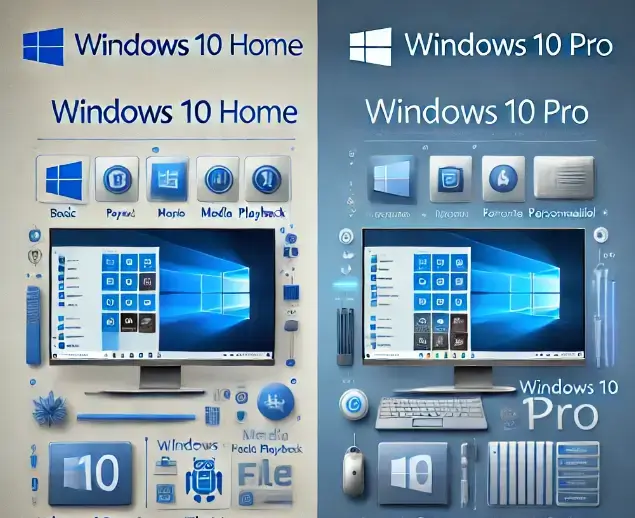
Windows 10 comes in multiple editions, with Home and Pro being the most widely used. While both are built on the same core system, they are different to meet user needs. In this article, we’ll talk about the differences between Windows 10 Home and Pro, especially examining which one might perform better for your specific needs.
Windows 10 Home vs Win 10 Pro Editions
Microsoft designed Windows 10 to cater to diverse user groups by offering different versions, each equipped with features suited to particular needs. The Home edition is perfect for general users, students, and families, while Pro is geared toward professionals and business environments. Choosing the correct version can affect how well the operating system serves your daily tasks, from simple browsing to business-grade security and productivity.
Overview of Windows 10 Home Features

Windows 10 Home includes features that make it ideal for everyday use, with a focus on simplicity and accessibility. Some of its standout offerings are:
- Cortana: Microsoft’s digital assistant is available to help with tasks, reminders, and searches.
- Windows Hello: This security feature enables users to log in using facial recognition or a fingerprint, providing an easy and secure login experience.
- Microsoft Edge: The built-in browser offers efficient web browsing.
- Basic Security: Windows Defender Antivirus provides essential protection against viruses and malware.
These features make Windows 10 Home suitable for casual users who require a secure, responsive, and easy-to-navigate system.
Overview of Windows 10 Pro Features

For users needing more control and security, Windows 10 Pro extends beyond Home’s basic features, adding professional-grade tools:
- BitLocker: This data encryption feature protects your files, especially useful for business users handling sensitive data.
- Remote Desktop: Windows 10 Pro allows users to access their computer remotely, enabling work-from-anywhere capabilities.
- Group Policy Management: This tool allows administrators to manage settings across multiple devices, making it easier to maintain a secure network in business environments.
These additional features make Pro an ideal choice for small businesses, IT professionals, and anyone needing advanced security and remote access.
Security and Privacy Features
When it comes to security, both Windows 10 Home and Pro offer strong baseline protections, but Pro includes a few essential upgrades:
- Windows Defender is standard on both versions, providing virus and malware protection.
- BitLocker Encryption is exclusive to Pro, protecting data on your hard drive with advanced encryption. This feature is valuable for professionals who handle sensitive information.
- Enhanced Privacy Settings: Windows 10 Pro users have additional privacy options, allowing greater control over data access and sharing.
If privacy and data protection are top priorities, Windows 10 Pro’s enhanced features make it the superior choice.
Performance and Speed Comparison
In terms of speed and performance, Windows 10 Pro does not inherently run faster than Windows 10 Home. However, Pro includes optimizations that can improve performance in specific scenarios:
- Task Management: Pro is designed to handle more intensive workloads and multitasking, which can make a noticeable difference for business applications.
- Resource Allocation: Windows 10 Pro may perform better when running multiple applications simultaneously, especially if those applications are resource-intensive.
For most users, the speed difference between Home and Pro won’t be noticeable. However, power users or businesses running specialized software may find that Pro’s optimizations make it worth the upgrade.
Compatibility and Device Support
Windows 10 Pro shines when it comes to compatibility and device support:
- Enterprise Hardware Compatibility: Pro is built to support a broader range of enterprise-grade hardware, making it the go-to for businesses.
- Device Limits: Windows 10 Pro allows users to connect more devices, which can be crucial in networked or office environments.
- Tablets and Hybrid Devices: Both editions support a variety of devices, though Pro offers greater flexibility in business settings.
For users with advanced hardware setups or specific enterprise requirements, Pro offers more flexibility and device support options.
Business Tools and Enterprise Features in Windows 10 Pro
Windows 10 Pro provides features that simplify IT management and increase efficiency in business settings:
- Group Policy: IT administrators can control settings across multiple devices, which is useful for maintaining a consistent setup.
- Domain Join: Windows 10 Pro allows devices to join a network domain, a feature necessary for many businesses.
- Remote Desktop: This feature lets employees access their desktops remotely, facilitating work-from-home and hybrid work environments.
These business tools make Windows 10 Pro indispensable for many companies, especially those with remote or flexible workforces.
Licensing, Pricing, and Cost Comparison
Windows 10 Home vs Win 10 Pro Pricing is an essential factor when deciding between Windows 10 Home and Pro:
- One-Time License vs. Subscription: Both editions offer one-time purchase options, though Pro is generally more expensive due to its advanced features.
- Upgrade Costs: Users can upgrade from Home to Pro, but this involves an additional fee.
- Total Cost of Ownership: For individual users, Home may be more cost-effective, while businesses may find Pro’s benefits justify the additional cost.
Windows 10 Pro comes at a premium, but for users who need its extra features, the cost is often worthwhile.
User Scenarios for Windows 10 Home and Pro
Choosing the right Windows edition depends on how you plan to use it:
- Gaming and Home Use: Windows 10 Home is ideal, offering everything a casual user or gamer might need.
- Small Business Operations: Windows 10 Pro is perfect for small business owners who need tools like Remote Desktop and Group Policy.
- Professional IT Work: For professionals needing data protection and remote access, Windows 10 Pro is the better choice.
Identifying your primary activities can guide you toward the most suitable edition for your lifestyle and work needs.
Pros and Cons of Windows 10 Home and Pro
Windows 10 Home
- Pros: Affordable, user-friendly, and includes essential features like Cortana and Windows Defender.
- Cons: Limited advanced features, lacks BitLocker and Group Policy, not suitable for enterprise use.
Windows 10 Pro
- Pros: Enhanced security, Remote Desktop access, Group Policy for IT management.
- Cons: Higher cost, features may be unnecessary for casual users.
This pros and cons list can simplify decision-making by highlighting each edition’s strengths and limitations.
Future Updates and Long-Term Support
Microsoft is committed to providing updates for both Windows 10 Home and Pro:
- Support Cycle: Both editions receive security and feature updates regularly, though Pro users might enjoy extended support.
- Future-Proofing: Microsoft’s update schedule ensures both editions remain functional and secure, though Pro users may benefit from faster security rollouts.
Users concerned with long-term updates and stability can rest assured that both editions will remain supported for years
Which Windows 10 Edition is Best for You?
Ultimately, choosing between Windows 10 Home and Pro depends on your specific needs and budget:
- Home Edition: Best for individual users, families, and gamers who want a straightforward, secure system.
- Pro Edition: Ideal for professionals, small business owners, and IT managers who require enhanced security, remote access, and management tools.
By evaluating your daily tasks, security needs, and device compatibility, you can select the edition that will serve you best. Windows 10 provides reliable performance and security.
Bottomline
Ready to upgrade or need help deciding between Windows 10 Home and Pro? At FastSoftwares, we offer genuine, cost-effective software solutions for both personal and business needs. Each is backed by comprehensive support and secure purchasing. Make the right choice for your setup visit FastSoftwares today to find the ideal Windows edition for you!
Written by:
Similar Articles
Sign up for our Newsletter
Enter your email address to subscribe to this blog and receive notifications of new posts by email.

