
Smart Data Protection Strategies for Software Projects with Cloud Backup Solutions
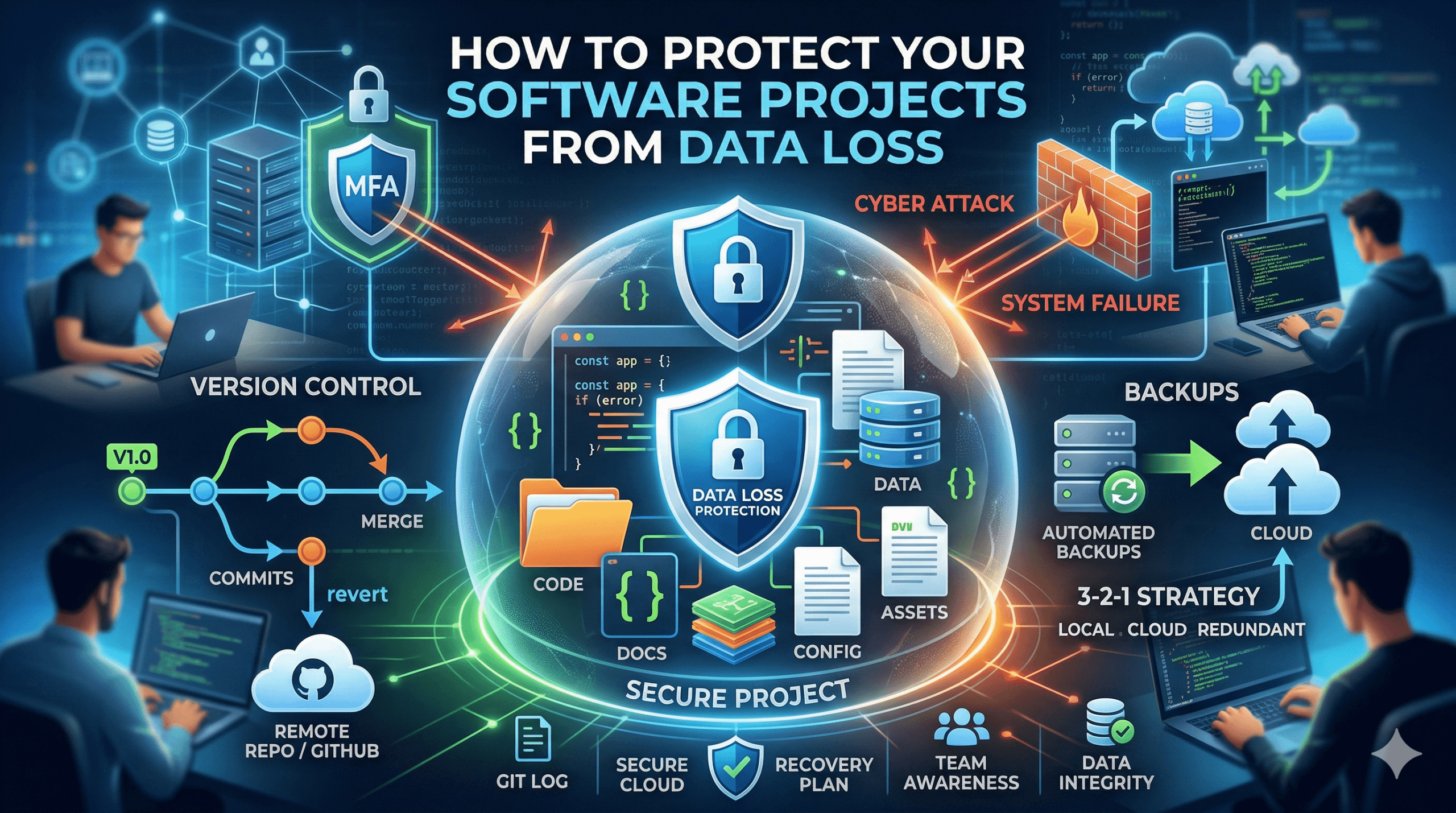
How to Protect Your Software Projects From Data Loss
Software projects are reliant on lots of code, documentation, configuration files and testing data that should not be lost during development. This information can make or break significant delays in the team, cost, and productivity when lost. Accidental loss Data can be lost by deletion, system failure, or cyber attack, or it can be lost in the deployment process. Even well-planned projects may encounter a serious set back in the absence of a structured protection strategy.
Development data needs more than one protection. Team members should integrate reliable backup systems, version control practices, secure infrastructure and recovery planning. These practices when used in tandem enable developers to proceed with the project knowingly that key project files can be restored fast in case of any hiccups.
Using Version Control Systems
One of the most significant software protection tools is version control systems. Git platforms monitor all changes in the codebase and enable developers to undo changes to previous versions in case of an error or loss of data. A commit will leave a record of changes, which assists teams to recover lost code and determine when changes were added to the code.
Removing the remote repositories also enhances the protection of data. Hosting service providers make copies of the repository on external servers forming a supplementary backup that is in external servers. This is to be sure that in case a developers machine collapses or files are accidentally deleted, they can still get the latest version of the project in the repository without wasting work.
Implementing Reliable Backup Strategies
Frequent backup is necessary to protect project files out of the securities provided by the version control. The code repository should not be the only thing to make a backup of and things such as documentation, design assets, database dumps and configuration files should also be included. Keeping backups stored in more than one place will ensure that all the project data can not be lost by the failure of a single point.
It can be made simpler using automated backup tools that schedule periodic project directory snapshots. Local backup is usually used together with an external storage resource such as a safe server or a cloud service by many teams. The free cloud storage is often the starting point in some organizations to keep off site copies of valuable files so that backups are still available even if there is damage or technical failure of local systems.
Protecting Data With Cloud Storage Solutions
The cloud storage systems offer scalable and convenient security of development projects. In the case of project files, a copy must be stored in the cloud to minimize the risk of hardware loss, theft, or corruption of local disk. The cloud providers have a backup of storage systems in more than one data center which is very reliable and it would not allow the files to be impacted by the trouble in the region.
Other services provide larger storage options including unlimited cloud storage when dealing with large projects or lengthy histories of development. Through these solutions, organizations are able to store the older builds, logs and documentation without the fear of space limitation. Cloud storage can be a part of an overall data protection effort with proper access controls ensuring that it is a safe and flexible solution.
Strengthening Security to Prevent Data Loss
There can also be serious loss of data due to security threats. Ransomware, software malware and intruders can break or destroy valuable project files. To secure the environments of development, it is necessary to use reliable authentication procedures, secure connections, and pay special attention to managing the access permissions in repositories and storage systems.
The teams ought to use firm password policy and make use of multi factor authentication at all costs. The control of access to repositories by approved users ensures the casual/malicious loss of code. Periodic updates of the development tools and operating systems to ensure a security level are also effective in minimizing the vulnerabilities that hackers can use to disclose project data.
Maintaining Redundant Development Environments
Redundancy is used to make sure that the work of development can be continued even in the case of system failures. Having duplicate environments of the build servers, testing systems and databases can also enable the teams to switch operations easily in case one of the systems is unavailable. This redundancy safeguards the projects against disruption by hardware failure or disruption to the infrastructure.
The automation of infrastructure and containerization tools can assist the team to recreate the environment and do it rapidly and reliably. Coding the environments allows developers to recreate systems on new hardware with a little effort. This would ensure that the project data is secure and the downtime is minimized in the event of unforeseen failures.
Creating a Data Recovery Plan
Determinate recovery plans will remain sure that teams are aware of how to react in case of data loss. In the absence of an identified procedure, developers lose the precious time to find backups or to recreate files that have been lost. Recovery planning will define the location of backup products, individuals who will perform the restoration process and how the systems should be reinstated.
It is just as important as developing recovery procedures as they should be regularly tested. The teams are supposed to also periodically test the loss of data scenarios to ensure that the backups are in good operation and restoration procedures are in good condition. By following recovery steps, developers are guaranteed that in case of actual incidents, they can recover project data in a short time to ensure that the project develops without making the process so inconveniencing.
Encouraging Team Awareness and Good Practices
Human error is the most prevalent reason for loss of data in software projects. Codebase may be disrupted by developers accidentally overwriting files, deleting directories, or making unstable changes. These risks can be minimized by encouraging good development habits.
Education of the members of the training team on the safe workflow is useful in ensuring data integrity. The developers are advised to write codes regularly, record key changes and not to keep the key project information to personal devices only. Once the whole team realizes the necessity of backups, version control, and secure storage, the protection of project data will be their responsibility.
In addition to cloud storage and backup tools, productivity software also plays a role in maintaining organized and recoverable project data. Using solutions like Microsoft 365, teams can manage documentation, collaborate in real time, and ensure that files are automatically saved and versioned. This reduces the risk of losing important documents such as project plans, reports, and configuration notes, while also improving team efficiency and communication throughout the development lifecycle.
Building Long Term Data Protection Habits
The success of long term projects is pegged on the adherence to data protection habits. Protections should be enabled in the whole development life cycle, during early prototyping, to long term maintenance. The more intricate the projects become, the more the need to safeguard the assets in the development process.
Companies that invest in planned protection schemes enjoy better reliability and less downtime. A robust team practice, secure cloud storage, and version control, combined with a backup, leads to an effective development environment. Such implemented measures ensure that the software teams need not be concerned with the risks of losing the important project data, but they can concentrate on the innovation and delivery.