Microsoft Visio 2019 Standard Review: Features, Pricing & Purchase Options
This is a Microsoft Visio 2019 review for all users.
Microsoft Visio 2019 Standard is a popular diagramming software designed to help individuals, students, and teams visually organize and communicate complex ideas effectively.
It caters to users who need a reliable tool for creating flowcharts, organizational charts, network diagrams, and other professional visuals.
This software is primarily designed for Windows PC users looking for an intuitive interface and comprehensive diagramming capabilities.
In 2025, it remains a relevant solution for workflow and project visualization, improving productivity and clarity in various tasks.
You can purchase Microsoft Visio 2019 Standard from trusted sellers like Fastsoftwares, ensuring authenticity and support.
This microsoft Visio 2019 review delves into key features, pricing structures, where to buy it safely, and comparisons with alternative diagramming tools.
Microsoft Visio 2019 Standard: Key Features and Benefits
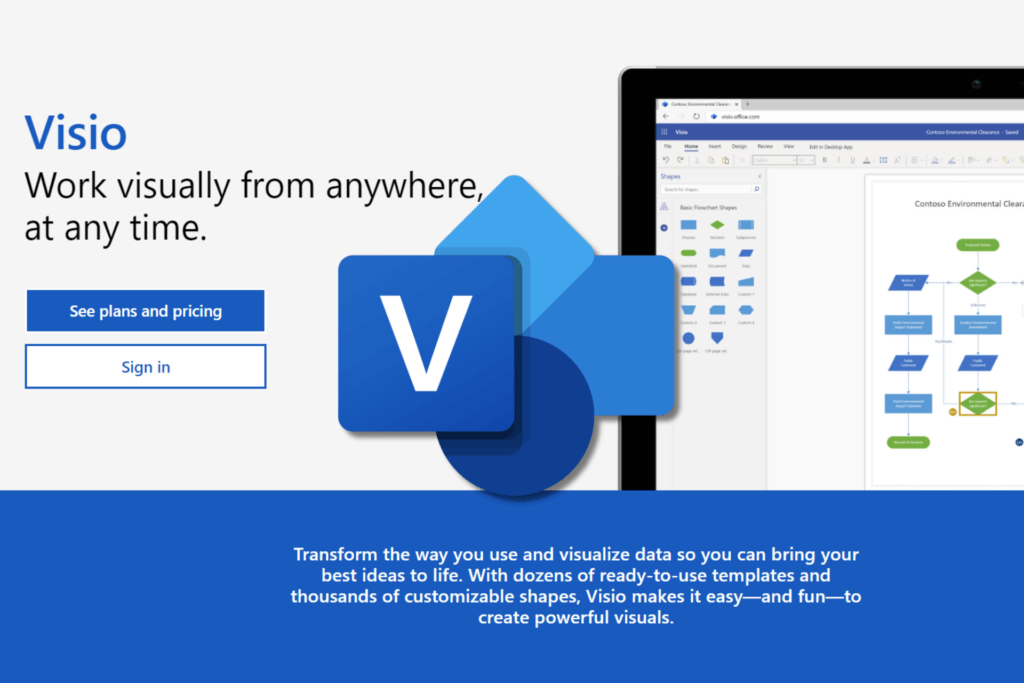
Microsoft Visio 2019 offers a user-friendly platform to create diagrams, flowcharts, maps and process diagrams. Its wide range of professional design tools and shapes make it easy to create visuals for representation of data.
Microsoft Visio 2019 Standard provides a robust set of diagramming tools tailored for Windows PC users who want to visualize complex information with ease.
This version offers extensive templates, user-friendly interfaces, and seamless integration with other Microsoft Office products.
Using Visio software boosts productivity by simplifying the creation of diagrams, making it easier to communicate workflows and data relationships.
Diagramming Tools and Templates
Visio 2019 Standard includes a wide variety of built-in templates supporting many diagram types.
Users can select from options such as flowcharts that map processes, organizational charts outlining company structures, and network diagrams showing computer setups.
These templates speed up the creation process and help maintain professional consistency across projects.
By offering pre-designed shapes and connectors, Visio streamlines diagram building to save users time and reduce errors.
For example, students working on business presentations can quickly create clear organizational charts.
Likewise, IT teams benefit from detailed network diagrams for system planning and troubleshooting.
Microsoft Visio 2019 Standard includes basic diagramming features such as basic shapes, connectors, text editing, and integration with Office 365. It offers a variety of ready-made templates and thousands of shapes for creating professional diagrams, and supports importing DWG files.
User Interface and Compatibility
The user interface of Microsoft Visio 2019 Standard is optimized for Windows PC, featuring a ribbon menu similar to other Microsoft Office apps.
This familiarity helps users acclimate quickly without a steep learning curve.
Multiple panes and toolbars provide quick access to shapes, stencils, and formatting options for an efficient workflow.
Additionally, Visio 2019 integrates smoothly with Microsoft Office programs like Word, Excel, and PowerPoint.
This compatibility allows users to embed diagrams within documents or presentations effortlessly.
Such integration also supports importing data from Excel to automatically generate diagrams, reducing manual input.
Overall, the combination of an intuitive interface and robust Microsoft ecosystem support makes Visio 2019 Standard an accessible and powerful tool for diagramming needs.
Microsoft Visio integrates closely with Microsoft Office, allowing users to create, embed, and update diagrams seamlessly within Office applications such as Word,
Excel, PowerPoint, Outlook, and Teams. Key integration features include embedding and editing Visio diagrams directly in Word documents, linking diagrams to Excel data for real-time updates, exporting visuals to PowerPoint for presentations, mapping contacts from Outlook, and sharing in Teams and SharePoint for collaboration.
Learn more about integration with Microsoft Office.
Pricing, Licensing, and Where to Buy Microsoft Visio 2019 Standard
Understanding pricing and licensing is vital to making an informed purchase of Microsoft Visio 2019 Standard.
Options include one-time licenses suitable for long-term use and subscription plans that offer flexibility.
Buying from verified sources ensures software authenticity and reliable customer support.
Fastsoftwares stands out as a recommended official seller offering competitive pricing and dependable service.
Pricing Tiers and Licensing Options
Microsoft Visio 2019 Standard is typically available as a one-time purchase license.
This means you pay once and own the license indefinitely, ideal for users preferring a fixed cost without ongoing fees.
Some users may find subscription plans appealing if they want access to updates and cloud features, although these usually apply to newer versions like Visio Online.
The one-time license model makes Visio 2019 Standard cost-effective for students and professionals who do not require frequent upgrades.
Prices can vary by region, reseller, and edition, but purchasing through an official channel like Fastsoftwares ensures you get the genuine product at a fair price.
Buying from Fastsoftwares vs Other Sellers
Fastsoftwares offers clear advantages over other resellers or marketplaces.
Purchasing from Fastsoftwares guarantees official licensing, making the product secure and supported.
They provide customer assistance for installation, activation, and troubleshooting, which third-party sellers may lack.
While some marketplaces offer lower prices, these deals might come with risks like counterfeit software or limited support.
Fastsoftwares also frequently updates their listings and offers safe download links.
For users prioritizing trust, reliability, and legal compliance, buying Microsoft Visio 2019 Standard from Fastsoftwares is the safest choice.
You can buy Microsoft Visio 2019 Standard official license as a one-time purchase from authorized retailers that offer digital downloads or boxed key cards.
Notable options include MyChoiceSoftware.com, Trusted Tech Team, Walmart.com, and SoftwareHubs.com, all providing genuine products and support for installation and activation.
Comparing Microsoft Visio 2019 Standard with Alternative Diagramming Software
To choose the best diagramming software, it helps to compare Visio 2019 with other popular options.
Focusing on usability, features, and cost helps clarify which tool matches specific user needs.
Visio 2019 vs Free and Paid Alternatives
Visio 2019 Standard holds a strong position among diagramming tools due to its broad feature set and Microsoft ecosystem integration.
Comparatively, free alternatives like draw.io offer basic diagramming capabilities but lack advanced templates and integration.
Paid competitors such as Lucidchart and SmartDraw provide cloud-based platforms with collaboration tools.
However, some users find these subscription models more expensive over time.
Visio’s strength lies in its powerful desktop-based tools tailored for professional workflows.
For example, Lucidchart excels in real-time collaboration online but may not offer the detailed shape libraries Visio does.
Choosing between these depends on whether offline access, integration with Office applications, or cloud collaboration matters most.
User Reviews and Feedback Summary
Users generally rate Microsoft Visio 2019 Standard highly for its stability, feature depth, and interface.
Many appreciate the comprehensive templates and ease of creating complex diagrams without extensive technical knowledge.
Some feedback mentions that the learning curve can be steep for beginners, but tutorials and templates help bridge this gap.
Users also value the consistent performance on Windows PC and the seamless import/export options with Excel and PowerPoint.
Concerns sometimes highlight the absence of some advanced features found only in Visio Professional editions.
Overall, Visio 2019 Standard satisfies most individual and team diagramming needs effectively.
Conclusion
Microsoft Visio 2019 Standard remains a powerful, easy-to-use solution for diagramming tasks.
Its robust tools, user-friendly interface, and Microsoft Office integration make it ideal for students, professionals, and teams.
Pricing options suited to one-time purchases and trusted sellers like Fastsoftwares ensure accessibility and support.
Comparing Visio 2019 with other tools shows it stands out for desktop diagramming efficiency and feature richness.
Consider your specific requirements and explore trial versions if needed.
Buy Microsoft Visio 2019 Standard today from Fastsoftwares for the best official pricing and support.