The Complete Microsoft Office 2021 Guide: Everything You Need to Know
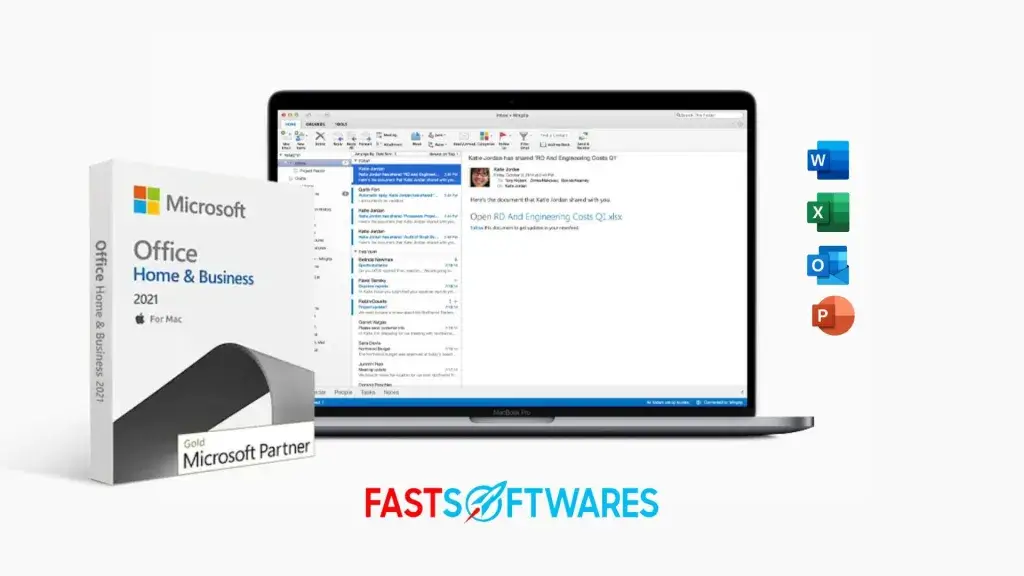
Microsoft Office 2021 revolutionizes productivity with powerful new features and enhanced performance.
This comprehensive Microsoft Office 2021 guide covers everything from installation to advanced features, helping you master the latest Office suite.
Whether you’re upgrading from an older version or choosing between Office 2021 and Microsoft 365, understanding your options ensures you make the right investment.
Office 2021 stands out as the perfect solution for users who value software ownership over subscription models, offering professional-grade tools without recurring costs.
What is Microsoft Office 2021?
Microsoft Office 2021 is the standalone version of Microsoft’s productivity suite, released in October 2021.
Unlike Microsoft 365’s subscription model, Office 2021 offers a one-time purchase option with perpetual licensing. Get Office 2021 one time purchase here.
This version targets users who prefer traditional software ownership over cloud-based subscriptions.
Office 2021 provides essential productivity tools without ongoing monthly fees.
Learn more in this Microsoft Office 2021 guide.
Microsoft Office 2021 Versions and Editions
Microsoft offers three distinct Office 2021 editions:
Office Home & Student 2021
- Target Users: Students, families, home users
- Price: $149.99 (one-time purchase)
- Device Limit: 1 PC or Mac
Office Home & Business 2021
- Target Users: Small businesses, entrepreneurs
- Price: $249.99 (one-time purchase)
- Device Limit: 1 PC or Mac
Office Professional 2021
- Target Users: Advanced business users, professionals
- Price: $439.99 (one-time purchase)
- Device Limit: 1 PC or Mac
Applications Included in Office 2021 by Edition
| Application | Home & Student | Home & Business | Professional |
| Word 2021 | ✓ | ✓ | ✓ |
| Excel 2021 | ✓ | ✓ | ✓ |
| PowerPoint 2021 | ✓ | ✓ | ✓ |
| OneNote | ✓ | ✓ | ✓ |
| Outlook 2021 | ✗ | ✓ | ✓ |
| Publisher 2021 | ✗ | ✗ | ✓ |
| Access 2021 | ✗ | ✗ | ✓ |
New Features in Microsoft Office 2021
- Enhanced Collaboration Tools: Office 2021 introduces real-time co-authoring across all applications. Multiple users can edit documents simultaneously with automatic syncing.
- Improved Performance: The suite delivers faster startup times and smoother operation. Memory usage optimization reduces system resource consumption by up to 30%.
- Advanced Excel Functions: Excel 2021 adds XLOOKUP, dynamic arrays, and new chart types. These functions streamline complex data analysis tasks.
- PowerPoint Enhancements: New slide transitions, improved media compression, and enhanced presenter tools elevate presentation quality.
- Word Processing Upgrades: Word 2021 features better grammar checking, enhanced focus modes, and improved document collaboration features.
- Outlook Integration: Enhanced search capabilities and improved calendar management boost email productivity.
Key Differences of Office 2021 from Previous Versions
- Visual Design Updates: Office 2021 adopts Microsoft’s Fluent Design system with rounded corners, updated icons, and improved visual hierarchy.
- Dark Mode Support: All applications support system-wide dark mode, reducing eye strain during extended work sessions.
- Accessibility Improvements: Enhanced screen reader support and keyboard navigation make Office 2021 more inclusive.
- Security Enhancements: Advanced threat protection and improved data loss prevention safeguard sensitive information.
Microsoft Office 2021 System Requirements
Windows Requirements
- Operating System: Windows 10 or Windows 11
- Processor: 1.6 GHz dual-core processor
- Memory: 4 GB RAM (64-bit)
- Storage: 4 GB available disk space
- Display: 1280 x 768 resolution
Mac Requirements
- Operating System: macOS 10.15 or later
- Processor: Intel or Apple Silicon processor
- Memory: 4 GB RAM
- Storage: 10 GB available disk space
Microsoft Office 2021 Purchase Options and Pricing
- Retail Purchase: Buy directly from Microsoft Store, Amazon, or authorized retailers such as Fastsoftwares. Physical and digital downloads available.
- Volume Licensing: Businesses can purchase multiple licenses through Microsoft’s Volume Licensing program for cost savings.
- Educational Discounts: Students and educators qualify for significant discounts through Microsoft’s education programs.
Download and Installation Process
Step 1: Purchase and Account Setup
Go to FastSoftwares and buy your copy of Microsoft Office 2021. Alternatively, create or sign in to your Microsoft account. Purchase your preferred Office 2021 edition.
Step 2: Download
Visit FastSoftwares or office.com and sign in. Click “Install Office” to download the installer.
Step 3: Installation
Run the downloaded installer. Follow on-screen prompts to complete installation.
Step 4: First Launch
Open any Office application. Sign in with your Microsoft account to begin setup.
Microsoft Office 2021 Guide: Activation
Microsoft Office 2021 is a robust suite of productivity tools that includes Word, Excel, PowerPoint, and more, designed to enhance your efficiency and streamline your work. To fully utilize the features of Microsoft Office 2021, you need to activate your copy of the software. Here is a step-by-step guide on how to activate Microsoft Office 2021, ensuring you get the most out of your purchase.
Online Activation
Office 2021 activates automatically when connected to the internet. No manual product key entry required.
Offline Activation
Use the phone activation method for computers without internet access. Call Microsoft’s activation hotline.
Troubleshooting Activation Issues
Restart the computer and retry activation. Contact Microsoft support for persistent problems.
Microsoft Office 2021 Guide: Primary Use Cases
Business Applications
- Document creation and editing
- Financial modeling and data analysis
- Professional presentations
- Email management and scheduling
Educational Purposes
- Research paper writing
- Statistical analysis projects
- Academic presentations
- Note-taking and organization
Personal Productivity
- Home budgeting and planning
- Creative projects and newsletters
- Personal correspondence
- Media presentations
Tips for Maximizing Office 2021
- Keyboard Shortcuts: Master essential shortcuts to boost productivity. Use Ctrl+shortcuts for common tasks.
- Template Utilization: Leverage built-in templates for professional document creation. Customize templates for consistent branding.
- Integration Benefits: Connect Office apps for seamless workflow. Export Excel data to PowerPoint presentations effortlessly.
- Regular Updates: Enable automatic updates to receive security patches and feature improvements.
Office 2021 vs Microsoft 365
- Licensing Model: Office 2021 offers one-time purchase versus Microsoft 365’s subscription model.
- Feature Updates: Office 2021 receives security updates only. Microsoft 365 gets continuous feature updates.
- Cloud Integration: Microsoft 365 provides full cloud integration. Office 2021 offers limited cloud features.
- Cost Comparison: Office 2021 suits users preferring upfront costs. Microsoft 365 benefits heavy cloud users.
Read more about office 2021 Here: Review of Microsoft Office 2021: Benefits, Drawbacks, and Unique Features
Conclusion
This Microsoft Office 2021 Guide has coved the key aspects of Microsoft Office 2021 that you need to know.
Microsoft Office 2021 delivers powerful productivity tools with a traditional ownership model. This guide covered installation, features, and optimization strategies for maximum efficiency.
Choose the edition matching your needs and budget. Follow the installation steps carefully for smooth setup.
Office 2021 serves users seeking reliable productivity software without subscription commitments. Its enhanced features and improved performance make it a solid investment for personal and professional use.
Use the Microsoft Office 2021 Guide to download, install, activate and use Microsoft Office 2021. Download Microsoft Office 2021 from FastSoftwares.