
Windows 11 vs Windows 10 Performance
Nov 12, 2024 by Jhon Paolo Bonquin
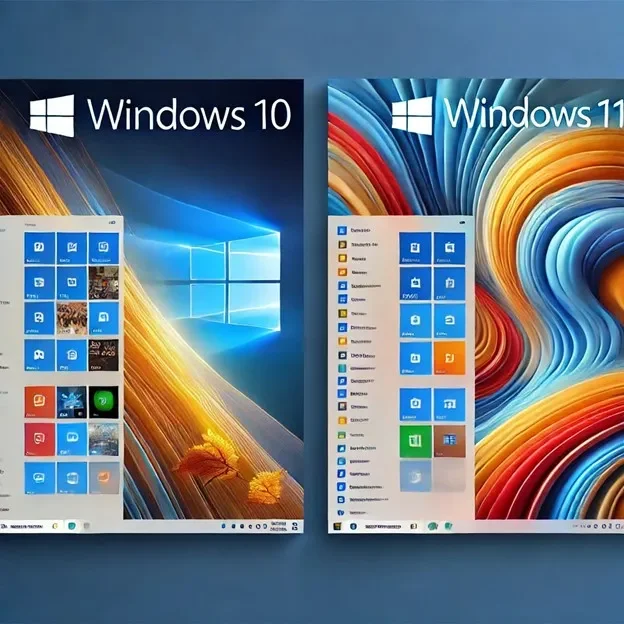
Now it’s time to check the major differences between Windows 11 and Windows 10 performance. This article to help you decide if an upgrade is worth it based on performance.
Windows 11 vs Windows 10 Performance benchmarks
Hardware Optimization
- Windows 11
Another major advantage of using Windows 11 is that the operating system is optimized for modern hardware. As it was intended to fully utilize SSDs, TPM 2.0, CPUs, and other new technologies, the jump in performance and capabilities with the hardware of today will surely be felt. Most notably, this is going to provide a big revolution in things for gamers. DirectStorage can enhance games by loading game data directly into the memory of a graphics card rather than just via the CPU
- Windows 10
Still a very powerful operating system, Windows 10 is easier on older hardware. It does not rely on the very latest in innovation, such as DirectStorage. It may run quite well on systems without all the newest features. Microsoft Windows 10 is a reliable and good option for older computers.
Windows 11 vs Windows 10: Performance for Gaming
- Windows 11
Gaming is considerably enhanced with Windows 11, to say the least, with the inclusion of DirectX 12 Ultimate and AutoHDR. Both make playing video games way smoother, and even brighter. Of course, there will be smoother experiences with better integration of modern gaming hardware, especially as next-generation titles are optimized for Windows 11.
- Windows 10
For games that don’t rely on the latest hardware features, Windows 10 is still an excellent gaming operating system, easier to use, and doesn’t have restrictions for TPM 2.0. But with gaming-specific enhancements included in Windows 11, it is not as future-proof for those gamers who want state-of-the-art technology.
App Performance
- Windows 11
In terms of daily applications, both operating systems will pretty much feel like the other. However, Windows 11 allows a little bump in multitasking because of the new layouts feature, which has proven useful on larger screens. There is an improved utilization of screen real estate; it’s more intuitive for managing windows.
- Windows 10
- Windows 10
It enjoys similar day-to-day app performance to Windows 11, making it a good option for everyday use. However, people working with many applications at the same time may find it less worthwhile because it does not hold the multitasking enhancements like in Windows 11.
Boot Time
- Windows 11
With hardware optimization for new hardware, the time taken by the system to start up, especially on systems with SSDs, is much shorter. The OS launches faster thanks to improved system resource management and a more efficient startup procedure, allowing users to start working as soon as possible.
- Windows 10
Windows 10 also supports fast boot times, especially on SSDs. However, without some of the optimizations in Windows 11, booting will take a little longer, especially on older hardware. The difference isn’t dramatic, but Windows 11 does tend to feel quicker when starting up.
UI Impact: Graphics and Reactivity
- Windows 11
- Windows 11
The new UI of Windows 11 is just great; it has revamped animations and feels modern. On older computers, the updates might weigh heavy and slow it down. With improved memory management and wiser resources distribution, Windows 11 feels faster and responsive compare to Windows 10 on modern hardware.
- Windows 10
- Windows 10
It has a more classic UI and thus works perfectly on a majority of the boxes of hardware in the market. Windows 10 remains the better choice for customers who need an operating system that provides them with a lightweight experience at speed, even on older devices.
Battery Efficiency: Keeping the Power Last Longer
- Window 11:
If you have a laptop, then the choice could be Windows 11. Due to its power-efficient architecture, there is less background activity when the system sits idle. This enables better battery life, especially on light tasks like word processing or internet browsing.
- Windows 10:
- Windows 10:
Window 10 isn’t as power-efficient as Windows 11, yet it was generally more efficient on laptops. When comparing Windows 11 vs Windows 10, people who have exactly the same hardware but running Windows 11 report a drop in battery life.
Want to upgrade? Check out Windows 10 upgrade options

Windows 11 vs Windows 10 performance improvements
Windows 11 introduces new features that focus on enhancing user experience and productivity in different ways.
- Snap Layouts & Snap Groups:
This allows users to easily organize up to five windows in different ways for view and better multitasking.
- Widgets Panel:
A personalized feed of news, weather, calendar, and other information, integrated and all in one place.
- Microsoft Teams Integration:
It is directly integrated into the taskbar for quick video calling and chatting with no need for other apps.
- Auto HDR and DirectStorage:
These technologies further enhance the aesthetic quality of gaming and reduce loading time on supported hardware.
- Virtual Desktops:
It gives extended functionality, including the creation of multiple desktops and customizing settings within those desktops according to the purpose that the desktop is being used for.
- Cortana and Live Tiles:
About onboard voice assistant and live tiles in the Start Menu for something like quick information at your fingertips. However, it does not feel as refined compared to how Windows 11 handles Widgets.
- Action Center:
This is a dashboard where you manage notifications and quick settings. Just as in Windows 11, it does not have enhanced capability for better organization.
- Gaming:
While still powerful in terms of gaming, it does lack some of the more delightful features of Windows 11, such as Auto HDR and DirectStorage.
In Summary
Windows 11 boasts lots of performance advantages if you’re running recent hardware. For those who want the best Windows 11 vs Windows 10 performance out there and have high-end PCs, features like Direct Storage make it one great choice with better gaming performance and better battery efficiency.
However, Windows 11 vs Windows 10 performance comparisons show that Windows 10 proved to be very reliable and productive for most older PCs. While it doesn’t offer the very latest features available, like all Microsoft operating systems, it works solidly and will run on a broad range of hardware configurations.
Boost Your Performance with Fastsoftwares!
Looking to upgrade to the latest Windows OS? Whether you’re sticking with reliable Windows 10 or ready to embrace the enhanced performance of Windows 11, Fastsoftwares has you covered. Get genuine licenses for Windows 10 or Windows 11 at unbeatable prices, and experience smoother gaming, faster boot times, and better multitasking. Don’t wait to unlock the full potential of your PC—shop now at Fastsoftwares and make your system faster, smarter, and more efficient today!
Written by:
Similar Articles
Sign up for our Newsletter
Enter your email address to subscribe to this blog and receive notifications of new posts by email.

