

MS Project Standard vs Professional: Key Differences Explained
Nov 11, 2024 by Marlon Taytay
Introduction
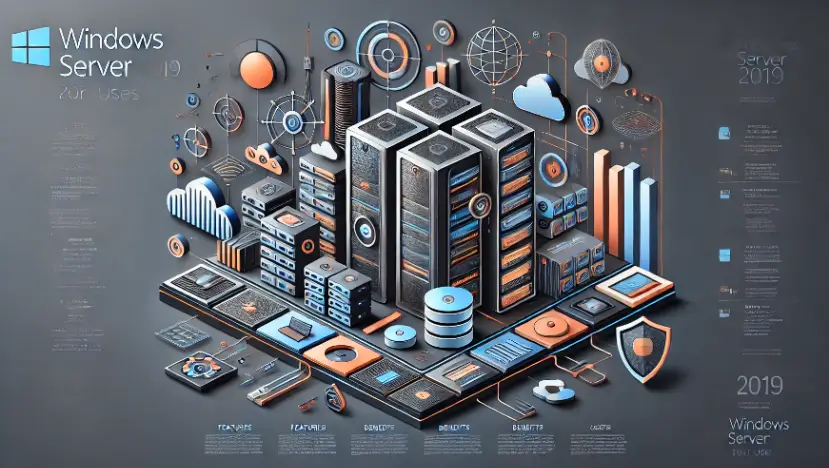
The well-known Windows 2019 Datacenter operating system was created to satisfy the requirements of business wide-area settings. Its extensive feature set makes it perfect for companies that rely on virtualization, cloud integration, and improved security. This tutorial will go over the features of the Datacenter version, its advantages for data centers and cloud-heavy infrastructures, and how it stacks up against the Standard edition.
What is Datacenter for Windows Server 2019?
Businesses that need deep cloud integration, high availability, and great deal virtualization technologies are the target audience for Windows Server 2019 Datacenter. This edition is ideal for enterprise-level data centers since it offers Software-Defined Networking (SDN), Storage Spaces Direct (S2D), and unlimited virtualization.
Comparison with Standard Edition:
Windows Server 2019 Datacenter performs best in bigger, highly virtualized systems where an infinite number of virtual machines (VMs) and sophisticated software-defined capabilities are required, whereas the Standard edition is appropriate for smaller environments. Datacenter is the preferred option for more extensive virtualization requirements because the Standard version restricts the number of virtual machines.
Essential Elements of the Datacenter Windows Server 2019
By allowing multiple virtual machines to run on a single physical server, it provides workload management flexibility.
This feature makes it possible to use local storage to create scalable, highly available storage systems. Businesses that need to guarantee data availability and reduce downtime will find it ideal.
By limiting VMs to trustworthy hosts, shielded virtual machines (VMs) safeguard sensitive workloads. For businesses that care about security, such those in the healthcare or financial sectors, this functionality is essential.
Software-defined networking, or SDN:
Businesses can automate and centrally control network configuration with Windows Server 2019 thanks to SDN. . In large-scale settings where network management complexity can become daunting, it is very helpful.
By offering a single dashboard for operations including virtual machine management, upgrades, and monitoring, this browser-based application streamlines server administration.
Windows Server 2019 Datacenter Advantages
Unlimited Virtualization:
The Datacenter edition’s capacity to run an infinite number of virtual machines is one of its main benefits. For businesses with significant virtualization requirements, this makes it incredibly cost-effective.
Enhanced Security:
Businesses can make sure their infrastructure is safe from modern attacks by utilizing technologies like shielded virtual machines and advanced threat protection. Integrating security elements into the operating system’s core facilitates regulatory compliance.
Cloud Integration:
Windows Server 2019 Datacenter is prepared for cloud computing due to its smooth integration with hybrid cloud configurations and Microsoft Azure. This enables companies to grow their on-premise infrastructure into the cloud while maintaining its scalability and flexibility.
Cost-effectiveness and operational flexibility:
Through the use of virtualization, companies can lower hardware expenses without sacrificing operational effectiveness. Additionally, features like SDN and S2D help streamline IT management and reduce complexity.
Use Cases for Windows Server 2019 Datacenter
Virtualized Data Centers:
The capacity of the Datacenter edition to effectively manage several virtual machines is advantageous for businesses that heavily rely on virtualization, such as hosting companies or big organizations.
Cloud environments that are hybrid:
Windows Server 2019 Datacenter offers smooth cloud connections with Azure for companies wishing to design a hybrid architecture that combines on-premise data centers and the cloud.
Disaster Recovery:
Asynchronous replication between sites is made possible by the Datacenter edition’s integrated disaster recovery features, like Storage Replica, which guarantee minimal data loss and business continuity.
Large-Scale Uses:
Sectors such as government, healthcare, and finance often require scalable, secure platforms to operate critical applications. In these high-demand situations, Windows Server 2019 Datacenter offers the scalability and security required.
Installing and ConfiguringWindows 2019 Datacenter

We have dedicated installation for data servers
Methodical Installation:
Get the installation CD for Windows Server 2019 Datacenter from Microsoft.
Use the installation media to boot up the server, then install the operating system by following the on-screen instructions.
Choose the Datacenter edition during installation.
Configure basic settings such as network, domain, and server roles using the Windows Admin Center.
Set up Hyper-V for virtualization and configure storage using Storage Spaces Direct if applicable.
Tips for Integration:
Ensure that the hardware supports the Datacenter edition’s advanced features like virtualization and SDN.
In order to automate and optimize network traffic management, plan your network infrastructure for SDN integration
Pricing and Licensing for Datacenter Windows Server 2019
Core-Based Licensing:
The core-based licensing model of Windows Server 2019 Datacenter necessitates that licensing be based on the physical server’s core count. This model is different from the Standard edition, which can be less expensive but offer fewer capabilities. However, the Datacenter edition is perfect for large businesses because it permits an infinite number of virtual machines.
Pricing Breakdown:
The number of cores and other features required determine the price of Windows Server 2019 Datacenter. Businesses should consider the size of their virtualized environment and the number of servers they intend to deploy when evaluating their needs.
Windows Server 2019 Datacenter vs. Standard Comparison
Virtualization: Unlimited VMs in Datacenter vs. two VMs in the Standard edition.
Storage: Only Datacenter supports advanced storage solutions like Storage Spaces Direct.
Networking: Advanced SDN features are exclusive to Datacenter.
Which is Best for Your Business?
Small to medium-sized businesses that need limited VMs and basic features may prefer the Standard edition. But for big businesses that need a lot of networking, storage, and virtualization capabilities, a datacenter is a better option.
The Best Methods for Datacenter Management with Windows Server 2019
Automation:
Use programs like Windows Admin Center to automate repetitive processes like updates and patch management.
Security Management:
Use Shielded VMs to secure sensitive data and regularly update security protocols to guard against new threats.
Virtualization Optimization:
Optimize server loads to increase efficiency and use Windows Admin Center to regularly check virtual machine performance.
Conclusion
Windows Server 2019 Datacenter offers a stable, scalable, and secure platform for big enterprises. Its advanced capabilities, including as cloud connectivity, state-of-the-art networking, and endless virtualization, make it a superb choice for businesses looking to get the most out of their IT infrastructure With the Datacenter edition, you may link on-premise systems to the cloud or manage a fully virtualized data center, and you’ll have the tools you need to stay ahead in today’s digital world.
Sign Up for More Tips: If you thought this post was useful, sign up for our newsletter to receive more advice directly in your inbox.
Written by:
Similar Articles

Sign up for our Newsletter
Enter your email address to subscribe to this blog and receive notifications of new posts by email.

