Microsoft Office 2013 Home and Business Review: Features, Benefits & Alternatives
This is a Microsoft Office 2013 Home and Business review.
Microsoft Office 2013 Home and Business remains a relevant and trusted office software solution in 2025.
It serves individuals, students, and small teams who need a robust set of productivity tools for their daily tasks.
This edition bundles core applications such as Word, Excel, PowerPoint, and Outlook, offering a comprehensive package for PC users.
Originally released in 2013, its continued use today proves the lasting value of well-designed software.
Readers considering Microsoft Office 2013 Home and Business will find this review vital because it highlights the features, installation process, benefits, and current alternatives available through platforms like Fastsoftwares.
Understanding these aspects helps readers make informed decisions about their office software needs. In this Office 2013 Home and Business review, you’ll get to know the features, benefits, and alternatives.
Overview of Microsoft Office 2013 Home and Business Edition
Before we get to the Microsoft Office 2013 Home and Business review, let’s first understand what this edition entails.
What’s Included in the Office 2013 Home and Business Package
Microsoft Office 2013 Home and Business offers a complete set of core applications designed to meet various productivity needs.
Included in this package are classic MS Office apps:
- Word for document creation and editing
- Excel for spreadsheets and data analysis
- PowerPoint for creating presentations
- Outlook for email and calendar management.
These apps deliver the essential tools that individuals, students, and small business teams rely on to perform daily tasks efficiently.
Word provides comprehensive text formatting, templates, and reviewing tools.
Excel includes powerful functions like formulas, pivot tables, and charting features for organizing and analyzing data.
PowerPoint supports multimedia presentations with a wide variety of design and animation options.
Outlook integrates messaging, scheduling, and contact management in a unified interface.
This composition makes Office 2013 Home and Business ideal for users who need productivity software that covers a broad range of work scenarios.
It strikes a balance between features and simplicity, ensuring that newcomers and experienced users alike can navigate the applications with ease.
System Requirements and Installation Process
Next, in the Microsoft Office 2013 Home and Business review, is understanding the Office 2013 Home and Business system requirements. Why?
To install Microsoft Office 2013 Home and Business on a PC, users must meet certain system prerequisites.
- The software requires a 1 GHz or faster processor and at least 1 GB of RAM for 32-bit systems or 2 GB for 64-bit systems.
- A minimum of 3 GB free disk space is needed to complete the installation.
- Compatibility extends to Windows 7, Windows 8, Windows 8.1, and Windows 10.
- The display should support a resolution of at least 1024 x 768 pixels.
The installation process is straightforward.
Once purchased from reliable vendors such as Fastsoftwares, users receive a product key and download link.
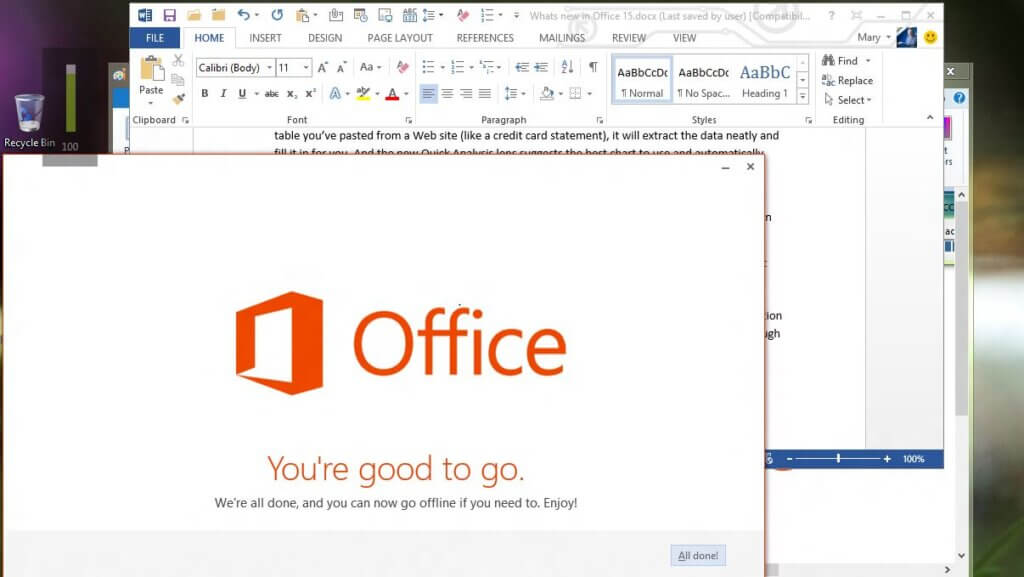
After downloading the setup file, running the installer prompts for the key and initiates the setup.
The guided installation typically completes within minutes, configuring core apps and system integrations.
After installation, users activate the software online to unlock full features.
This accessible setup ensures users can quickly start working with the software without complicated configurations.
The clear system requirements also help users verify their PC’s compatibility, reducing installation errors.
The system requirements for Microsoft Office 2013 are:
- Operating System: Windows 7, Windows 8, Windows Server 2008 R2, or Windows Server 2012
- Processor: 1 GHz or faster x86 or 64-bit processor with SSE2 instruction set
- Memory (RAM): 1 GB for 32-bit; 2 GB for 64-bit
- Hard Disk Space: 3.0 GB of free disk space
- Graphics: DirectX 10 compatible graphics card required for hardware graphics acceleration
- Display Resolution: Minimum 1366 x 768 for graphics acceleration features
These cover the basic hardware and OS requirements to install and run Office 2013 effectively. The suite can run on both IA-32 and x64 systems.
Office 2013 Home and Business Review: Key Features and Benefits
Next in this Microsoft Office 2013 Home and Business review, let’s understand the key features and benefits of this application:
Improved User Interface and Usability Enhancements
Office 2013 Home and Business introduced a modern, clean user interface designed to enhance productivity.
The ribbon menu received refinements that made navigation more intuitive, grouping related tools and commands logically.
The software uses a white and pastel color scheme that reduces eye strain during extended use.
Each app features touch-optimized controls suitable for tablets and touchscreen laptops, reflecting evolving hardware trends.
The Start screen presents recent documents and templates, allowing users to quickly access their work or start new projects.
Increased use of live previews and real-time formatting feedback enables faster editing and reduces mistakes.
These usability updates make Office 2013 Home and Business easier to learn and use for people at all skill levels.
Users can focus more on content creation rather than struggling with complicated menus.
This streamlined experience stands out in this edition’s appeal to individuals and teams seeking productivity without distraction.
Collaborative Tools and Cloud Integration
Collaboration received a significant boost in Office 2013 Home and Business with enhanced cloud integration.
OneDrive support allows users to save files online, making documents accessible from any device with an internet connection.
This flexibility supports remote work and seamless transitions between computers and mobile devices.
Real-time collaboration features enable users working on shared documents to see changes as they happen, improving teamwork efficiency.
Outlook integrates calendar sharing and email management, simplifying coordination among small teams and families.
These collaborative improvements match the demands of today’s digital work environment.
By automating synchronization and centralizing document access, Office 2013 helps avoid version conflicts and lost data.
Its cloud features contribute to a smoother, connected workflow for users, whether at home, school, or in small office settings.
OneDrive’s cloud integration features include robust cloud storage with up to 1 TB per user (expandable up to 5 TB), real-time collaboration through co-authoring in
Microsoft Office apps, and advanced file sharing with granular permissions (including expiration dates on shared links) to secure data. It integrates deeply with
Microsoft 365 apps such as Word, Excel, PowerPoint, SharePoint, Teams, and Outlook, allowing seamless file access, sharing, and editing across these platforms.
Additional key features include offline access and synchronization, version history and file restore, known folder syncing, security and compliance, reporting and
analytics, mobile access, integration with productivity tools, and intelligent file management. These features position OneDrive as a comprehensive platform for secure content management, collaboration, and productivity integration within the Microsoft 365 ecosystem.
Office 2013 Home and Business review: Comparison with Alternatives
Why Choose Microsoft Office 2013 Home and Business?
Next, in this Microsoft Office 2013 Home and Business review, let’s look at the alternatives of Office 2013 Home and Business :
Microsoft Office 2013 vs. Office 2016/2019 and Other Suites
When comparing Microsoft Office 2013 Home and Business with newer versions like Office 2016 or 2019, a few key differences emerge.
The newer editions offer updated features such as AI-powered tools, improved cloud functionality, and enhanced visual design effects.
However, Office 2013 remains relevant due to its stable performance, familiar interface, and lower cost.
Alternative free office suites like LibreOffice or Google Workspace provide some similar functions but may lack full compatibility with Microsoft file formats or advanced features present in Office 2013.
Some users prefer Office 2013 because it balances traditional functionality with the essential modern features without overwhelming new users.
Office 2013 is best for users who want reliable software with a proven track record and do not require the latest bells and whistles.
It suits those prioritizing affordability and ease of use over the newest updates.
Pricing, Licensing, and Availability at Fastsoftwares
Fastsoftwares offers competitive pricing for Microsoft Office 2013 Home and Business, often at discounts compared to retail channels.
Licensing generally includes a one-time purchase with a perpetual license valid for one PC, avoiding ongoing subscription fees.
Fastsoftwares provides official product keys and secure downloads, ensuring authenticity and support eligibility.
Users can buy directly through their website with clear instructions for activation and installation.
This transparent service helps buyers avoid counterfeit or gray-market software risks.
The availability of Office 2013 Home and Business at Fastsoftwares allows budget-conscious users to acquire a trusted productivity suite with confidence.
Clear licensing terms reduce confusion about usage rights, making it an attractive option for individuals and small teams.
You can purchase Microsoft Office 2013, including editions like Professional Plus or Home and Business, from third-party sellers such as
Fastsoftwares and LicenceDeals. Fastsoftwares offers genuine licenses for Office 2013 Professional Plus that cover 2 PCs. LicenceDeals provides various Office 2013 versions starting around €48-€67 with digital license delivery.
Note that Microsoft ended support and security updates for Office 2013 on April 11, 2023, but the applications will continue to function.
Office 2013 is available as a one-time purchase, unlike Microsoft 365 which is subscription-based. Prices from third-party sellers typically range from $30 to $100 for older Office 2013 versions.
Fastsoftwares specifically promotes Office 2013 Professional Plus with Word, Excel, Outlook, and more.
If you want to buy from Fastsoftwares, look for their Microsoft Office 2013 Professional Plus 2 PC license offering. Otherwise, LicenceDeals offers multiple editions with instant email delivery of the product key.
Ensure you buy from reputable sellers to avoid counterfeit keys, as Microsoft no longer sells Office 2013 directly.
User Reviews and Performance Insights for 2025
To complete this Microsoft Office 2013 Home and Business review, let’s look at some user reviews:
Real-World User Experiences and Testimonials
Recent user reviews for Microsoft Office 2013 Home and Business consistently praise its reliability and ease of use.
Many users highlight the smooth interface and efficient core applications that cover daily productivity needs.
Testimonials mention the software’s compatibility with a broad range of PC hardware, making it a favored choice for those with older computers.
Some users note limitations related to missing features introduced in later Office versions.
There are occasional remarks about the lack of official mainstream support approaching its end.
Still, the majority commend the package’s solid performance and value.
These real-world insights confirm that Office 2013 remains a capable office suite in 2025, especially for users valuing stability over constant updates.
Performance and Support in Contemporary Use Cases
On modern hardware, Microsoft Office 2013 Home and Business runs efficiently, with fast load times and responsive interfaces.
Its modest system requirements allow smooth operation even on entry-level PCs.
Official support from Microsoft is limited as Office 2013 has passed mainstream support milestones.
However, extended support delivers security patches, and Fastsoftwares offers customer assistance to facilitate installation and troubleshooting.
Users relying on Office 2013 report no major performance issues, and the software integrates well with current Windows operating systems.
This reliability favors users who prefer established software with proven stability.
Conclusion
We hope you’ve found this Microsoft Office 2013 Home and Business review helpful.
Microsoft Office 2013 Home and Business offers a balanced, trustworthy productivity suite perfect for individuals, students, and small teams in 2025.
Its core applications, user-friendly interface, and cloud collaboration tools meet essential office software needs reliably.
Though newer versions exist, Office 2013 remains valuable for users prioritizing affordability and stability.
Fastsoftwares provides a secure and cost-effective way to purchase this edition with clear licensing.
Discover the best deals on Microsoft Office 2013 Home and Business today at Fastsoftwares and enhance your productivity with trusted software.