Get MS Office Home and Business: for Professionals and Families
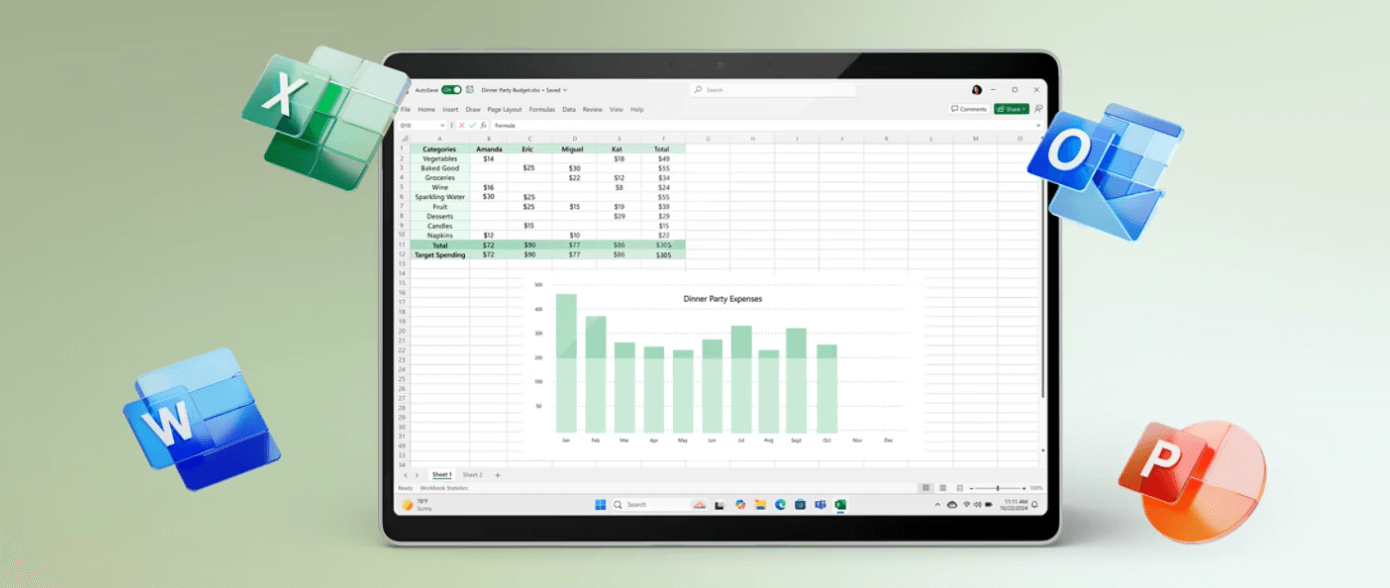
Are you seeking a reliable and powerful productivity suite that caters to both professional and personal needs? MS Office Home and Business is the best investment you can make.
Whether you’re a freelancer, entrepreneur, small business owner, or a work-from-home professional, this edition of Microsoft Office delivers all the core tools you need without the complexity or cost of enterprise-level solutions. You get classic Office Apps – Word, Excel, PowerPoint, Outlook, OneNote – plus other key apps like Access, Visio and more.
In this article, we’ll explore what makes MS Office Home and Business ideal for modern users, what’s included in the package, who should use it, and how it compares to other Office editions like Office Home & Business for Mac.
What is MS Office Home and Business?
MS Office Home and Business is a one-time purchase software suite that includes essential Microsoft productivity apps: Word, Excel, PowerPoint, Outlook, and OneNote. It is designed for users who want to avoid subscription fees and prefer a permanent license that works reliably across time.
This version supports Windows and Mac operating systems, including a dedicated Microsoft Home and Business Mac version for Apple users.
What’s Included in Microsoft Office Home Business?
Here’s what you get when you purchase Microsoft Office Home Business:
- Word – For professional document creation and editing
- Excel – Advanced spreadsheets with data analysis tools
- PowerPoint – Polished presentation design with multimedia support
- Outlook – Email and calendar management for business and personal use
- OneNote – A note-taking app that syncs across devices
Each app works offline and offers full-featured capabilities without the need for an ongoing Microsoft 365 subscription.
Who Should Use MS Office Home and Business?
The Office Business Home edition is best suited for:
- Small Business Owners – Streamline client communication, invoicing, and project tracking.
- Freelancers and Consultants – Manage proposals, spreadsheets, and client emails effectively.
- Work-from-Home Professionals – Maintain productivity with desktop-grade tools.
- Families and Home Users – Organize household budgets, school reports, and schedules.
This package is perfect for those who need premium productivity software but don’t want to commit to monthly or annual plans.
Why Choose MS Office Home & Business Over Microsoft 365?
While Microsoft 365 offers a subscription model with cloud access and additional features, MS Office Home & Business appeals to users who prefer:
- One-time payment – No recurring charges or surprise fees
- Ownership – Use the software indefinitely on one PC or Mac
- Offline access – Work without relying on internet connectivity
- Stability – Keep using the same version without forced updates
This makes Microsoft Office Home Business ideal for budget-conscious users or those who dislike constant software changes.
MS Office Home & Business for Mac: What Mac Users Need to Know
If you’re a Mac user, Office Home & Business for Mac is optimized specifically for macOS. It delivers the same set of applications (Word, Excel, PowerPoint, Outlook, and OneNote), with native macOS integration. That means the following:
- Retina display optimization
Full support for macOS shortcuts and UI conventions - iCloud Drive compatibility for file access
Microsoft Home and Business Mac provides seamless functionality that feels native to Mac users, making it a reliable alternative to iWork or Google Docs.
Key Benefits of Microsoft Office Home Business
Let’s break down the practical advantages of Microsoft Office Home Business:
1. Long-Term Value
A single payment gives you lifetime access on one device. If you don’t want to rely on ongoing subscriptions, this is a cost-effective solution.
2. Professional Communication
Outlook’s advanced email, calendar, and task features make it easy to manage business contacts and stay on top of meetings and appointments.
3. Strong Productivity Foundation
With Word, Excel, and PowerPoint, you can handle any document, data, or presentation task without the limitations of free alternatives.
4. Offline Reliability
No need to worry about connectivity issues. All tools work offline, giving you uninterrupted productivity wherever you are.
5. Enhanced Security and Privacy
Since there is no cloud-based sharing by default, your documents stay private unless you choose to upload them to OneDrive or another service.
Things to Consider Before Buying MS Office Home and Business
Before you purchase, keep the following in mind:
- Device Limit – One license applies to one device only. If you need Office on multiple devices, consider buying separate licenses or opting for Microsoft 365.
- No Free Upgrades – Unlike a subscription, you don’t get access to future versions automatically. You purchase the version available at the time.
- Installation Requirements – You’ll need a Microsoft account and a supported Windows or macOS system to activate your license.
How to Install Microsoft Office Home Business
- Purchase your product key from an authorized Microsoft Office reseller.
- Go to setup.office.com and sign in or create a Microsoft account.
- Enter your product key and download the software.
- Install on your PC or Mac and activate using the same account.
This process is user-friendly and typically takes under 30 minutes.
Final Thoughts: Is MS Office Home and Business Worth It?
Absolutely. For users who need dependable desktop productivity tools without recurring payments, MS Office Home and Business delivers all the essentials. Whether you’re managing personal projects, school assignments, or client work, this edition offers everything you need.
From Office Home & Business for Mac users to small business professionals, the Microsoft Home and Business suite remains one of the most practical and valuable choices on the market today.
Frequently Asked Questions
Is Microsoft Office Home Business the same as Microsoft 365?
No. Microsoft 365 is a subscription service that includes ongoing updates and cloud features. Microsoft Office Home Business is a one-time purchase with no subscription.
Can I transfer my license to another computer?
Yes, but only after uninstalling from the original device. Then you can reinstall and reactivate on the new one using your Microsoft account.
Does it come with OneDrive?
While OneDrive is supported, the standalone MS Office Home and Business license does not include free cloud storage like Microsoft 365.