Office 2007 Professional: Choosing the Best Microsoft Office 2007 License
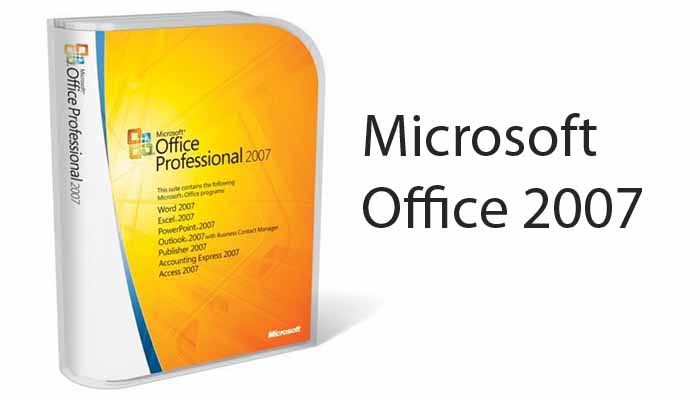
Microsoft Office 2007 Professional is one of the best Microsoft Office 2007 license offerings. It offers a comprehensive suite of tools essential for both business users and students seeking productivity and efficiency in their work.
This edition combines the classic productivity apps such as Word, Excel, and PowerPoint with enhanced collaboration and communication features.
Primarily, individuals and organizations looking for a legacy office suite with robust capabilities still relevant in 2025 find this license beneficial.
Available through trusted sellers online, acquiring the Office 2007 Ultimate professional license is especially relevant for users requiring compatibility with older systems or software environments.
Understanding the distinctions between the Office 2007 professional version editions empowers buyers to make informed decisions aligned with their specific needs.
Overview of Microsoft Office 2007 License
The Microsoft Office 2007 Professional Edition is known for providing core productivity applications essential to everyday business and academic tasks.
The Ultimate license builds upon the standard professional edition by including additional software and features that cater to advanced user requirements.
This office package generally includes renowned applications like Word for word processing, Excel for spreadsheets, PowerPoint for presentations, and Outlook for email and calendar management.
The professional version is tailored for users needing an integrated suite that enhances document creation and communication.
Versions of Microsoft Office 2007 License
Microsoft Office 2007 was offered in several versions, each with different feature sets and target audiences. These included Basic, Standard, Small Business, Professional, Professional Plus, Enterprise, Home and Student, and Ultimate. Each version included a suite of applications like Word, Excel, and PowerPoint, with additional programs like Publisher, Outlook (with Business Contact Manager), and OneNote in the more advanced editions.
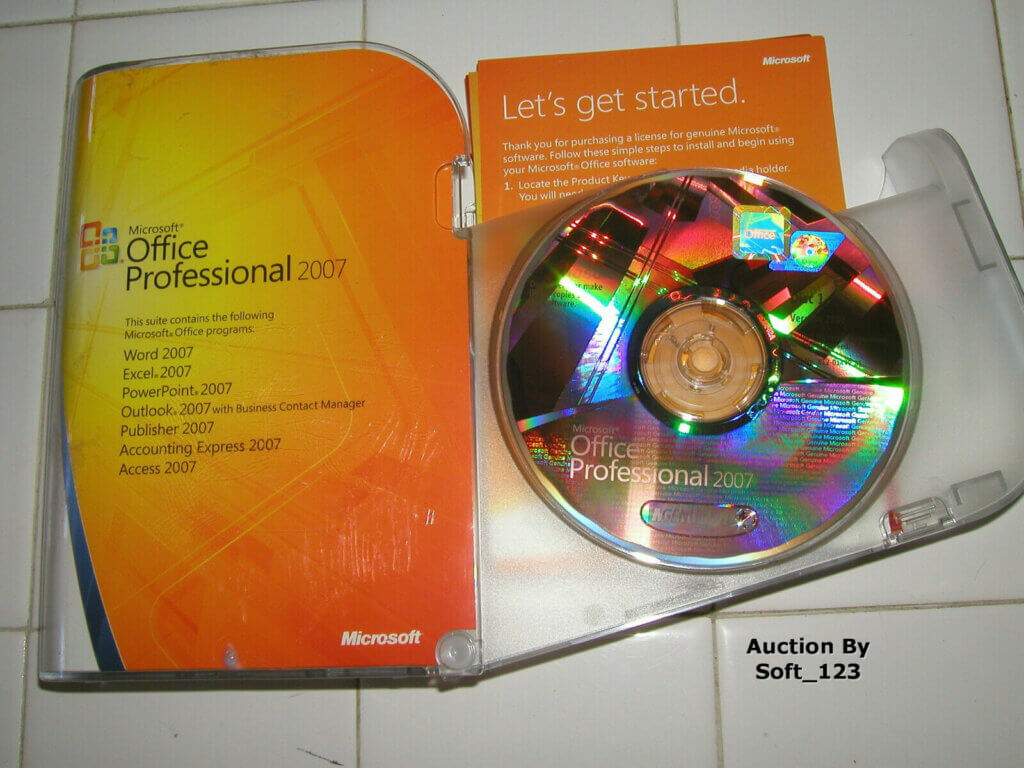
Editions of Microsoft Office 2007:
-
Basic: The most basic version, likely containing core applications like Word, Excel, and PowerPoint.
-
Standard: Included the core applications, likely with additional features compared to the Basic version.
-
Small Business: Designed for small businesses, featuring core apps plus Publisher and Outlook with Business Contact Manager.
-
Professional: Included the core applications, potentially with more advanced features and other applications like Publisher.
-
Professional Plus: A more feature-rich version, potentially including all applications in the Professional edition plus additional capabilities.
-
Enterprise: Targeted at larger organizations, likely including all applications and additional features tailored for enterprise use.
-
Home and Student: Focused on home and student users, likely containing basic applications like Word, Excel, and PowerPoint.
-
Ultimate: The most comprehensive version, likely including all applications and features available in Office 2007.
In addition to these, there were also standalone applications like Microsoft Project, Visio Standard, and OneNote, as well as server products like SharePoint Server 2007. The specific applications included in each version varied, with more advanced editions offering a wider range of features and tools.
Key Features of Office 2007 Professional Edition
The Office 2007 professional version includes powerful tools designed to boost productivity across various user groups.
- Word 2007 introduces a refined user interface with the new Ribbon, facilitating easier document editing and formatting.
- Excel 2007 incorporates enhanced functions, new charting tools, and support for larger worksheet sizes, facilitating sophisticated data analysis.
- PowerPoint 2007 offers improved slide design tools and animation features, making presentations more engaging.
- Outlook 2007 is enhanced with better email management, calendaring, and task organization, vital for business users.
Additionally, Access 2007 is included for robust database management, enabling users to handle business data efficiently.
These applications collectively streamline workflows, making the professional edition a productivity powerhouse for professionals, students, and small business owners.
What Makes the Professional Version of Microsoft Office 2007 License?
The Microsoft Office 2007 Ultimate license distinguishes itself by bundling all features of the professional edition plus additional software like OneNote, Publisher, Groove, and InfoPath.
- OneNote 2007 provides extensive note-taking capabilities, ideal for meetings and research.
- Publisher 2007 allows users to create professional-quality publications such as brochures and newsletters with ease.
- Groove 2007 supports collaboration on documents and projects in real-time across networks.
- InfoPath 2007 focuses on creating and managing electronic forms with high customization.
These extras make the Ultimate license especially valuable for business environments requiring enhanced collaboration, publishing, and data management.
Users investing in the Ultimate edition gain a more comprehensive toolkit, reflecting why purchasing from trusted sellers ensures access to these extensive features.
Microsoft Office 2007 Ultimate vs Professional Edition Comparison
Choosing between Microsoft Office 2007 Ultimate and the Professional edition depends on assessing both feature sets and licensing terms.
This detailed comparison guides potential buyers by elucidating differences that influence business and personal use decisions.
Prioritizing which applications and features are essential helps users identify the best match to their needs.
Feature-by-Feature Comparison
The professional edition covers the must-have applications: Word, Excel, PowerPoint, Outlook, and Access.
Meanwhile, Ultimate includes these plus additional programs like OneNote, Publisher, Groove, and InfoPath, bringing extended capabilities for collaboration, publishing, and form management.
Functionality-wise, the Ultimate version provides a richer environment for users engaged in complex projects, multi-user workflows, or content creation beyond text documents.
For example, small marketing teams might benefit from Publisher and Groove for creating and sharing branded content.
Students more focused on document creation and data analysis might find the professional edition sufficient.
Understanding these feature contrasts assists in making a choice aligned with user priorities and budget.
Pricing and Licensing Options
Pricing for the Office 2007 Ultimate license generally exceeds that of the professional edition owing to the broader suite of applications offered.
Licensing options may vary, including single-user licenses ideal for individual professionals and volume licenses tailored for business environments.
Business user licenses often come with benefits like upgrade rights and multi-device installation permissions.
Considering cost-effectiveness, purchasing from reliable vendors such as Fastsoftwares ensures authenticity and fair pricing.
Users should weigh their required software scope against budget constraints and potential productivity gains.
This approach confirms that buying Office 2007 is a smart, cost-effective choice, particularly when opting for the Ultimate license through trusted channels.
Review and Benefits of the Microsoft Office 2007 Ultimate Professional License
From a professional standpoint, the Office 2007 Ultimate license delivers a balanced combination of usability and performance.
Its interface revolutionized office productivity software with the introduction of the Ribbon, streamlining navigation.
This design choice improved user accessibility, reducing the learning curve for new users and enhancing workflow efficiency.
Performance remains steady even on older systems, making it compatible with a wide range of business environments.
This stability and compatibility represent significant benefits for organizations with mixed hardware setups.
User Experience and Performance
Office 2007 Ultimate features intuitive menus and toolbars, making advanced functions more discoverable and usable.
Speed is optimized compared to predecessors, ensuring smooth operation during intensive tasks like complex spreadsheet calculations.
Compatibility with older operating systems remains a strong point, which is essential for businesses maintaining legacy hardware.
User feedback highlights satisfaction with the suite’s balance of functionality and system requirements.
Some enterprise users appreciate the enhanced collaboration tools provided, boosting team productivity without requiring costly upgrades.
Ideal Use Cases for Business Users
For business users, the Office 2007 Ultimate license supports advanced project management through integrated tools like Groove for team collaboration.
Marketing departments benefit from Publisher’s desktop publishing capabilities for creating promotional materials.
Data-driven teams leverage Excel and Access to compile and analyze large datasets.
Additionally, corporate environments requiring complex form workflows find InfoPath indispensable.
Small to medium enterprises relying on efficient communication and document management gain from Outlook’s strong feature set.
Therefore, businesses aiming for comprehensive productivity solutions find the Ultimate license an excellent fit.
Reinforcing the core message, buying Office 2007 through trustworthy sellers not only secures the product but also ensures support and valid licensing.
Where and How to Purchase Your Office 2007 Professional License
Selecting the right source to purchase the Microsoft Office 2007 Ultimate professional license is crucial to avoid counterfeit products and ensure genuine software performance.
Reputable vendors provide certified software licenses, secure transactions, and customer support.
This trustworthiness underlines the cost-effectiveness of acquiring Office 2007 from authorized sellers.
Buying from Fastsoftwares
Fastsoftwares is widely recognized for offering authentic Microsoft Office licenses, including the 2007 Ultimate professional edition.
Their secure purchasing process protects buyers’ information and guarantees the validity of the software.
Customer support at Fastsoftwares assists with installation questions and license activation, reducing buyer concerns.
By choosing Fastsoftwares, users align with the core message that buying Office 2007 is a smart and safe investment when done through trusted sources.
The firm’s reputation underscores the value of purchasing from sellers who maintain rigorous standards.
Conclusion
The Microsoft Office 2007 Ultimate professional license offers an extensive range of tools ideal for businesses and individual users requiring advanced productivity features.
Its enriched application suite and enhanced collaboration options set it apart from the standard professional edition.
This makes it a robust, cost-effective solution for those prioritizing reliability and comprehensive capabilities in an office suite.
Understanding the feature differences and licensing options enables buyers to align their choice with specific needs.
Above all, purchasing from trusted sellers ensures authenticity and support, reinforcing that buying Office 2007 is a smart choice.
For a reliable and legitimate Microsoft Office 2007 Ultimate professional license, visit Fastsoftwares and secure your ideal office suite today.