
Microsoft Windows 10 Home 2021 Update: Features and Buying Guide for 32-bit Edition
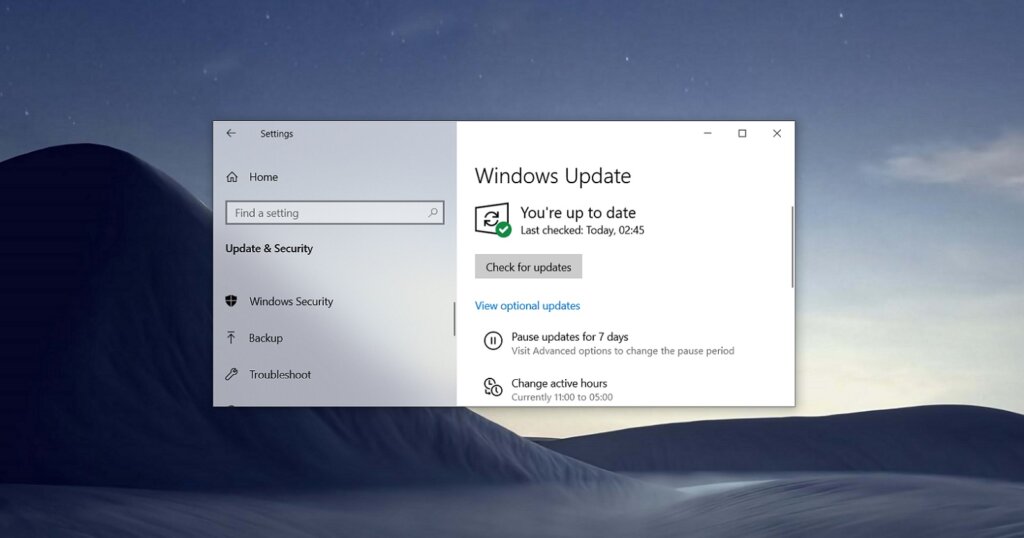
Are you trying to install Windows 10 Home 2021 Update? You’re in the right place.
Microsoft Windows 10 Home 2021 update delivers a powerful and tailored experience for students and individual users who need reliable and efficient computing.
This 32-bit edition update is designed to optimize usability for older hardware and devices that require lighter system demands.
Available globally, this edition remains highly relevant for users seeking an accessible upgrade path with enhanced security and performance features.
Key improvements include a refined user interface, strengthened system security, and tools that support day-to-day productivity.
Windows 10 Home continues to be a trusted operating system, widely adopted across personal and educational environments.
Its 32-bit edition update ensures compatibility for a broad user base, making it a smart and practical choice in 2025.
If you are considering an upgrade or a new installation, exploring this edition through reputable sellers like Fastsoftwares provides the assurance of authenticity and quality support.
TLDR; Windows 10 Home 2021 Update
The “Windows 10 Home 2021 Update” refers to Windows 10, version 21H2, also known as the November 2021 Update, which was a feature update for Windows 10 Home users and was released in November 2021.
It was delivered as a small, fast-installing “enablement package” for devices already running Windows 10, version 2004, 20H2, or 21H1, enabling the new features with a single restart.
How to install or check for the update:
- Open your Windows Update settings by going to Settings > Update & Security > Windows Update.
- Select Check for updates.
- If the update is available for your device, you will see an option to Download and install it.
- Select Download and install to begin the process.
- You will be notified when the feature update is ready to install, and you can then choose a convenient time to finish the installation and reboot your device.
Overview of Windows 10 Home 2021 Version Features
The Windows 10 Home 2021 version features bring noticeable improvements that heighten user experience and suitability for students and individual users.
This update builds on previous releases by focusing on usability, security, and performance tailored specifically for daily tasks and academic needs.
By combining innovation and reliability, these features make the 2021 version a compelling upgrade.
User Interface Enhancements
The 2021 update introduces significant user interface enhancements that improve navigation and customization.
Users will find that menus, taskbars, and system icons have been streamlined to provide clearer visibility and faster access.
For example, new customization options allow users to personalize desktops with ease, choosing themes and layouts that fit their style and workflow.
Enhanced touch and stylus support also benefit tablet users, making interactions smoother and more intuitive.
This focus on design increases productivity by reducing distraction and helping users locate functions quickly.
Security and Performance Improvements
Security upgrades in the 2021 update keep user data and systems safer than ever.
Microsoft enhanced built-in protections against malware, ransomware, and phishing attacks, especially crucial for home and student users who often handle sensitive information.
Performance optimizations reduce startup times and improve overall system responsiveness on 32-bit hardware.
The update also refines background processes to conserve battery life on laptops and reduce CPU usage.
These advancements contribute to a safer and faster environment, ideal for everyday computing needs.
What’s New in the Windows 10 Home 2021 Update Features?
This Windows 10 Home 2021 update features new functionalities that cater specifically to the demands of modern users with 32-bit systems.
These updates enrich compatibility and introduce fresh tools that boost both individual and collaborative productivity.
Compatibility and Device Support
A pivotal aspect of the 2021 update is its improved compatibility with a wider range of devices, especially those running on 32-bit architecture.
Older laptops and desktops benefit from greater driver support and better system optimization.
This ensures software and hardware can work together seamlessly without the need for expensive upgrades.
The update supports legacy applications while maintaining integration with newer software, offering flexibility for students and home users who juggle diverse programs.
By improving device support, users experience fewer crashes and better peripheral device connectivity.
Specifically, Windows 10 Home 32-bit edition supports IA-32 (x86) processors and requires at least 1 GB RAM and 16-32 GB storage, making it suitable for older hardware with limited resources.
New Functionalities and Tools
Microsoft introduced new tools in the 2021 update to enhance user experience and productivity.
Notably, the revamped Task Manager now provides clearer resource monitoring and easier access to background app controls.
The Snip & Sketch tool has been improved for faster capturing and editing screenshots.
Additionally, integration with Microsoft Teams is more streamlined, enabling quick communication for remote work or study.
Focus assist features have been updated to reduce unnecessary notifications, helping users stay concentrated on important tasks.
These innovative functions empower users to manage their computing environment more effectively.
Comparing Windows 10 Home 2021 with Earlier Updates
When comparing Windows 10 Home 2021 with earlier updates such as the 2019 update, the benefits of upgrading become clear.
This section outlines key differences and highlights why the 2021 update stands out.
Key Differences Between 2019 and 2021 Updates
The 2021 update offers a more polished user interface and expanded device support compared to the 2019 version.
While the 2019 update introduced foundational security patches and some interface tweaks, the 2021 release focuses on usability improvements that directly affect daily productivity.
The greater emphasis on accommodating 32-bit editions is a critical advantage for users with older systems.
Moreover, the 2021 update integrates updated app functionalities that the 2019 version lacked, giving users more tools at their fingertips.
These factors present the 2021 update as a more comprehensive and user-centric release.
Performance and Security Comparison
From a performance standpoint, the 2021 update surpasses the 2019 edition with faster boot times and improved system stability.
Optimization for legacy hardware means users will notice a more responsive interface and fewer slowdowns.
Security-wise, the 2021 update incorporates advanced threat protection layers that were not available in 2019.
This includes automatic ransomware detection and enhanced firewall controls.
Such upgrades make the system safer for everyday tasks, especially relevant for the home and student environments the 32-bit edition supports.
Choosing the latest update ensures users benefit from the most robust and efficient Windows experience.
Purchasing Windows 10 Home Edition 32-bit from Fastsoftwares
Purchasing the Windows 10 Home 2021 update 32-bit edition from a trusted seller is essential to guarantee authenticity and reliable support.
Fastsoftwares is recognized for providing genuine Microsoft software at competitive prices with excellent customer service.
Why Choose Fastsoftwares?
Fastsoftwares holds a strong reputation among buyers for selling authentic Windows licenses backed by official Microsoft validation.
Their competitive pricing helps users avoid overpriced alternatives without compromising legitimacy.
Additionally, Fastsoftwares offers knowledgeable customer support ready to assist with installation and troubleshooting.
This combination of affordability, trustworthiness, and service makes Fastsoftwares an ideal destination for acquiring Windows 10 Home 2021 update.
Purchase Options and Licensing
Fastsoftwares provides various purchase options including single licenses for individual users and multi-license packs for families or small businesses.
Licenses come with clear terms and easy-to-follow instructions for installation and activation.
Support is available for 32-bit system configurations to ensure smooth setup.
Buying from Fastsoftwares also grants access to update guidance, helping users keep their systems current with the latest security and performance improvements.
This comprehensive purchase and support model adds value and confidence for buyers.
Conclusion
The Microsoft Windows 10 Home 2021 update for the 32-bit edition offers vital improvements in interface design, security, and device compatibility.
It addresses the needs of students and individual users by enhancing usability and performance on older hardware.
Upgrading from previous versions maximizes system potential while protecting against modern threats.
Purchasing this update from Fastsoftwares guarantees a genuine product with dependable support and fair pricing.
Explore and purchase your genuine Microsoft Windows 10 Home Edition 32-bit 2021 update today from Fastsoftwares for reliable software and support.
For more detailed information on Windows 10 Home 2021 update features, visit Microsoft’s official update documentation.