
What Makes Windows 10 Pro Different from Windows 10 Home: Which Version Is Best for You
December 2024 by Marlon Taytay

Windows 10 difference between pro and home include Performance, security, and productivity can all be significantly impacted by selecting the appropriate version of Windows 10. Both Windows 10 Home and Windows 10 Pro include special features designed for certain user types. This article will outline the key distinctions between these versions so you may select the one that best suits your needs.
User Profiles and Purpose
- Windows 10 Home: Built for everyday users, this version includes all the basics you need for web browsing, media consumption, gaming, and general productivity.
- Windows 10 Pro: Designed for small to medium-sized businesses and professionals, Windows 10 Pro includes enhanced security, remote access, and device management tools.
Security Features
- Home: Windows 10 Home includes Windows Defender for antivirus protection and Device Encryption to keep your files secure. These features provide essential protection against common threats.
- Pro: In addition to the security features in Home, Windows 10 Pro offers BitLocker encryption, which is essential for anyone managing sensitive data. With BitLocker, your hard drive is protected, even if the device is lost or stolen. Pro also includes Windows Information Protection (WIP) to help protect against data leaks, making it ideal for business users.
Remote Access Capabilities
- Home: Windows 10 Home allows remote desktop access only through third-party applications, which may lack the security and smooth integration needed for business use.
- Pro: Windows 10 Pro includes Remote Desktop functionality, enabling users to connect to their computers from any location securely. This feature is crucial for remote workers and businesses with hybrid work environments.
Windows 10 Home vs Pro for Gaming

- Home: For most gamers, Windows 10 Home offers all the necessary tools to run games smoothly. With support for DirectX 12 and game optimization settings, it’s perfect for casual and dedicated gamers alike.
- Pro: While Windows 10 Pro doesn’t significantly boost gaming performance, some advanced gamers and game developers may appreciate the extra features. Hyper-V, a virtualization tool included in Pro, can be used to test games or software in virtual environments. However, for most gaming needs, the Home edition will perform just as well.
Virtualization with Hyper-V
- Home: Hyper-V, Microsoft’s virtualization tool, is not available in Windows 10 Home. Users needing virtual machines would need to look for third-party solutions.
- Pro: Hyper-V is built into Windows 10 Pro, allowing users to create and manage virtual machines. This feature is particularly valuable for IT professionals, developers, and tech-savvy users who need a flexible and isolated environment for testing.
Group Policy and Device Management
- Home: Device management options are limited, making it harder for users to manage multiple devices with consistent settings.
- Pro: Windows 10 Pro includes Group Policy Editor, allowing IT administrators to configure security and management settings across a network of computers. This feature is highly beneficial for companies with strict compliance requirements, as it streamlines device management and policy enforcement.
Cost and Licensing
- Home: Generally more affordable, Windows 10 Home is an excellent choice for students, families, and casual users. It’s often pre-installed on personal computers and laptops, making it readily accessible.
- Pro: Windows 10 Pro comes at a higher price point due to its advanced features. However, the investment is worthwhile for small businesses, freelancers, and professionals who need enhanced security and management tools.
Advanced Business Tools
- Home: Windows 10 Home provides basic functionalities but lacks the additional business tools needed for corporate settings.
- Pro: Windows 10 Pro includes Assigned Access (kiosk mode) and Microsoft Store for Business, both of which are invaluable for business operations. Assigned Access allows businesses to restrict devices to a single app, making it ideal for customer-facing environments.
Data and Compliance Needs
- Home: With basic file encryption and security settings, Windows 10 Home offers a straightforward approach suitable for personal data protection.
- Pro: Businesses with high compliance needs will benefit from Pro’s features like BitLocker and WIP, which offer greater control over data security. These tools are especially useful for businesses handling sensitive data in fields like finance, healthcare, and law.
Conclusion: Choosing Between Windows 10 Home and Pro
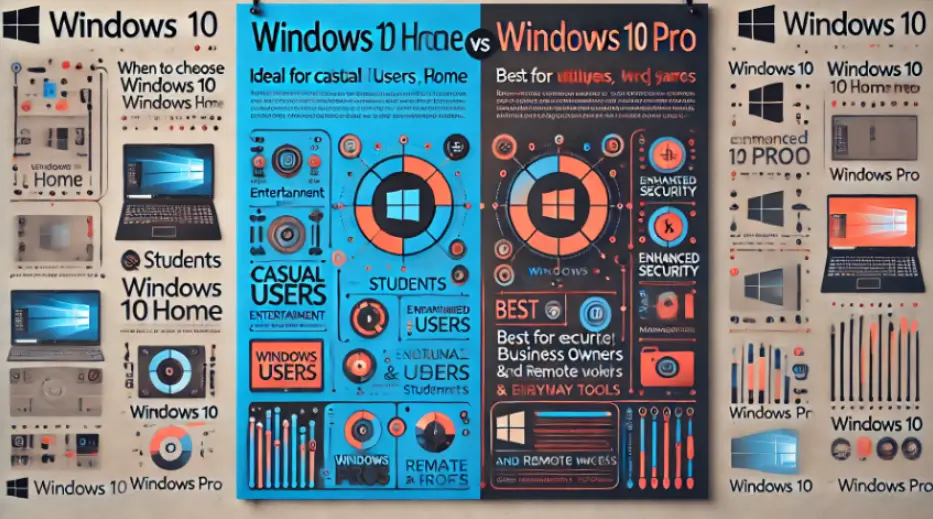
The decision between Windows 10 Home and Windows 10 Pro boils down to your specific needs:
- Choose Windows 10 Home if you are a casual user, student, or gamer who doesn’t need advanced security or remote management features. Home provides an affordable, efficient solution for everyday tasks and entertainment.
- Choose Windows 10 Pro if you are a professional, business owner, or remote worker who requires enhanced security, remote access, and management tools. Pro’s additional features will help you maintain productivity and data security, making it a smart investment for small businesses.
Written by:
Similar Articles

Sign up for our Newsletter
Enter your email address to subscribe to this blog and receive notifications of new posts by email.

