Remote Work Essentials: Tips and Tools for Remote Work Beginners
Discover valuable insights and recommendations for first-time remote employees and employers seeking to embrace and excel in remote and flexible work arrangements.

Remote employment gained popularity almost immediately. Even though remote work has long been an idea, its sudden popularity has increased due to the COVID-19 Pandemic and the “work from home” (WFH) movement. Companies and employees are now adopting flexible work-from-home policies all across the world.
Some companies prioritize their workers’ well-being and security by allowing them to work from home. This is partially due to studies demonstrating how much better employee performance can be achieved through remote work.
Going from the traditional 9 to 5 job to working from the comfort of your own home may seem like a great idea if you start working from home (and other flexible work plans). Then, you can gradually begin to see a decline in your performance. Many unprepared people have experienced it. This is partly because adjusting to quick change can be challenging and intimidating, and working from home can lead to excessive workload or diversions.
How, thus, can one make remote work effective?
We’ve put up work-from-home advice to help you keep balance in your life and be effective at work, regardless of whether or not you’re fresh to working remotely or merely want to advance.
TL;DR: Tools, Jobs, Productivity, and Tips for Remote Work
- Working remotely is a flexible arrangement that entails being away from a traditional office setting.
- Working from home, shared offices, cafes, libraries, and other places are examples of remote work settings.
- Developing a work style, planning tasks, setting up a specific workspace, keeping work and personal time separate, avoiding distractions, utilizing helpful hardware and technology, staying in touch, using practical remote work tools, figuring out when to log off, and more are all helpful when working remotely.
- Tools for communication and video conferencing; task management; time tracking; document management; password security; Internet and endpoint security (VPN, antivirus, and antimalware); collaboration software; and communication and video conferencing tools are some examples of remote work tools that can help you stay productive.
- The top tasks that can be done from home include writing, designing, marketing, virtual assistant employment, bookkeeping, photography, programming, accounting, web development, and more.
- Where can you look for chances for remote work? You can locate remote work opportunities on several websites, including Hubstaff Talent, Jobspresso, NoDesk, AngelList, Working Nomads, We Work Remotely, FlexJobs, Upwork, and Remote. Co.
Let’s start by explaining what remote working is.

How remote work is defined:
A flexible work arrangement known as “remote work” enables staff members to work from a place other than an employer-run central office. Everything that is needed is time, an Internet-connected computer (Mac or Windows), and a functioning PC.
Working remotely allows you to do your job outside a typical corporate office setting. The idea behind remote working is that productive work can be done in various locations.
Working from home (the employee’s residence), co-working spaces, shared workspaces, private offices, cafes, libraries, etc., are examples of remote work venues in addition to corporate office buildings.
The flexibility of working remotely is one of its most outstanding features. You have the freedom to work wherever and however best suits your needs.
Work from home vs. remote work
There is a distinction between working from home and working remotely, even though some use the terms interchangeably.
Working from a location other than the corporate office or leading company is called whole remote work. Since working remotely doesn’t dictate where one must work, freelancers frequently experience this. You only need to work outside of the office to complete your assignment.
One type of remote work is working from home. Working remotely from a different location—possibly their home—is their regular practice (WFH).
Moreover, “working from home” can also refer to a transitory or occasional form of remote work, like finishing a project for a few days from home. This may be due to an urgent situation, such as a brief requirement for childcare or a little sickness that permits employment. If it weren’t for these problems, you would probably be working from the organization’s office.
Beginners’ Challenges When Working Remotely

Beginners have specific challenges in adopting remote work as numerous individuals continue to work from home. When the fundamental ideas and recommended procedures for working remotely are absent, these issues arise.
The following are some difficulties with working remotely:
- Where one should operate from. Where to work from is the most common query from newcomers to remote work. One could choose to work from a co-working place, a cafe, or their own house. Finding an environment that supports your regular productivity is crucial.
- Time administration. When to work from home is a problem that many newbies to remote work encounter. Some people tend to work too little, while others work too much, leaving them exhausted. Working remotely necessitates careful scheduling, which includes regular breaks.
- How to work efficiently. Probably the most important is the topic of how to work effectively from home. This is partially because working away from the office means more time spent by the individual alone, less supervision, and more distractions. To stay focused, a lot of people use productivity and time management apps.
- Division. It may seem fantastic to work from home, but soon you’ll find that you’re by yourself, in your jammies all day, with no one to chat to and no coworkers to see. An excessive amount of this can make you feel alone. Taking breaks is beneficial, but you also need to interact with people, either in person or virtually, for a certain amount of time.
- Affects productivity. Employees may become disengaged and less productive, or they may overwork and become less productive in the absence of explicit work-from-home policies and standards.
- Tech-related errors. Insufficient remote work tools, including outdated social media management platforms can ruin productivity. Antiquated technology, shaky software, and poor broadband connections can all annoy and significantly reduce outcomes.
It takes a team effort to make sure remote work is successful and fulfilling. Team members follow guidelines for productivity, time management, and location. Leaders of teams and employers need to know ways to handle remote workers and maintain consistent output.
How to Work Remotely: Ten strategies to increase productivity and efficiency while working remotely
More people than ever before work from home. Approximately two-thirds of workers do some or all of their jobs from home. Furthermore, 99% of remote employees want to work remotely on occasion.
How can employees who work remotely maximize their time and maintain a connection with their company?
You must have a well-defined timetable and plan to be productive when working from home. You need to understand what it requires and what working from home entails.
We go over ten suggestions for working remotely in this part.
Here, you can also watch advice for working remotely.
1. Determine Your Style of Working
Determining your perfect work environment is crucial for success as you embark on a remote work journey. For example, if you enjoy working in an environment with white noise, a neighbourhood café can be your best option. If you are a quiet worker, renting a private office at a co-working place or setting up a room in your house with headphones that block out noise is the best option.
You’ll also take time and routine into account. Are you more productive, for instance, in the early morning or the evening? Do you find that short bursts of time during the day or a more extended lunch break encourage you more?
The allure of working remotely is that it gives you the freedom to work during your most productive and optimal hours, whenever possible.
2. Establish a Specific Workspace and Ambience at Home

You need a dedicated workspace at home unless you plan to work remotely from a co-working location.
If you don’t already have one, you must set up a space with the appropriate equipment and technology as your office. For work and concentration, you require this area and these resources. Make use of any additional space you may have for an office. If not, set up a location with accessories and guidelines to establish a workspace.
You can accomplish many things to establish a specialized workspace at home, including
- Make a work area. It can be difficult to distinguish between work and home when working from a couch or bed. Correct space organization will help you create a productive workspace at home. Have a spot, even if it’s just a table or a corner of the room, and set it up like an office.
- Staying away from distractions. Ideally, you should have a professional laptop and a home laptop. If not, make sure you disable all notifications on your laptop, including those from social media. Additionally, keep a separate phone number for work and home, and only use the home number when you have some free time.
- If you’re not on a break, use your phone’s do not disturb feature and refrain from using social media during work hours. This will stop unneeded social media diversions, phone calls, and text messages from being a distraction.
- Block websites that are distracting. There’s a chance that you’ll stray from your business website and social media accounts. You can maintain focus throughout work hours by blocking these distracting websites.
You may stay productive and maintain attention at work by engaging in these and other activities. Whether you plan to work from home, at a co-working space, at a neighbourhood cafe, or somewhere else entirely, make sure the setting you choose will help you succeed by inspiring motivation and a laser-like focus on your tasks.
3. Keep Work and Personal Time Separately.

When they first start working remotely, many people struggle to draw boundaries between their personal and professional lives. This is because being at home makes it simple to become distracted by your surroundings.
However, even tiny distinctions between work and leisure time aid in your brain’s ability to recognize when you’re not working. This improves the balance between work and life.
How do you keep life and work separate?
- Maintain consistent working hours and a work routine. Make a work plan that is 3 hours, 3 hours, 2 hours, or equivalent if your office requires 8 hours of labor.
- If your spouse or kids are at home, work in a separate room or area from them to avoid distracting each other.
- Use your laptop or phone for personal purposes only—never at work.
- If you use your laptop or phone for both professional and personal use, turn off the notifications.
Establishing clear boundaries between professional and personal time is crucial to avoid distractions and overworking, which can negatively impact your personal time.
4. Invest in Sturdy WFH Tools and Equipment
It is only feasible to work from home with dependable and enabling technology. So, what equipment is necessary for productive remote work?
To effectively work from home, you will require both supporting software and hardware solutions.
The necessary hardware is:
- A laptop or desktop computer
- Internet connection router (Wi-Fi is possible). A reliable Wi-Fi connection is essential to WFH’s success.
- A webcam or a comparable device for online video meetings.
- Earbuds or headphones with noise cancellation shield you from background and ambient sounds.
- An excellent workstation
Other excellent technologies that can help you work more efficiently include wireless keyboards and mice, a second screen, etc.
5. Utilize Tools for Remote Work to Boost Productivity
You need the correct tools to be productive. Several software systems that are necessary for efficient remote work include:
- VPN, antivirus, and antimalware software are examples of Internet and endpoint security tools for safe remote working that will protect both you and your business.
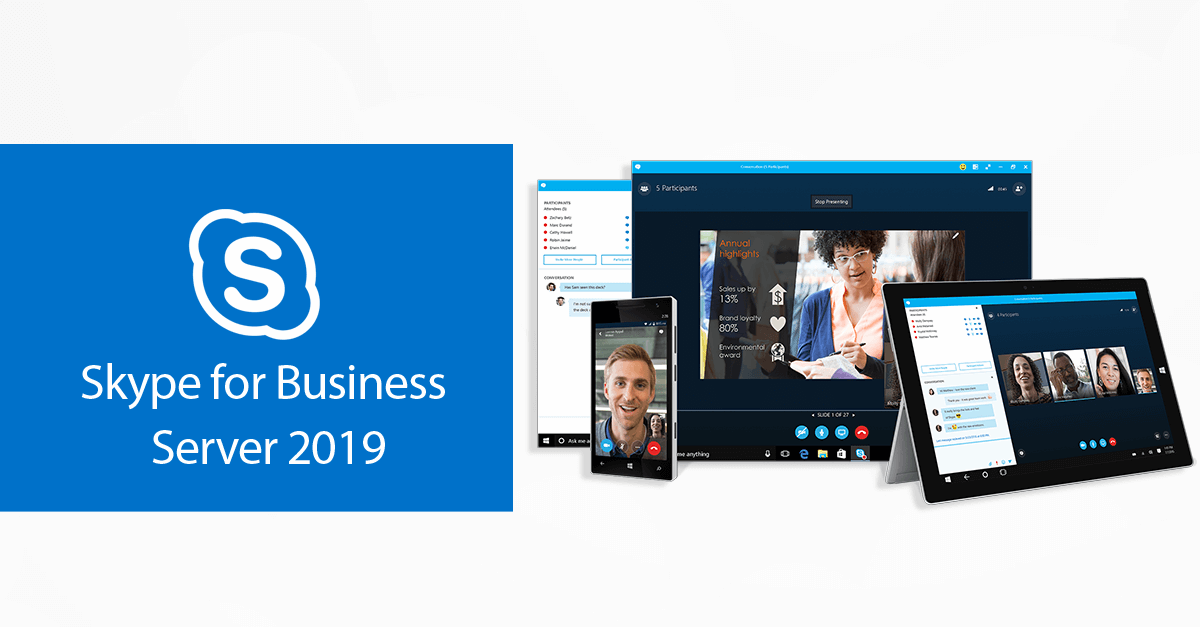
- Slack, Zoom, Teams, and other video conferencing and communication platforms can be used to host virtual meetings.
- Email effectiveness: You also need tools that help you react to emails quickly. BunBox.ai is one such tool that lets you customize or choose from pre-made suggestions to suit your tastes.
- Software for team collaboration on projects: Monday.com, Notion, Zoho, Productboard, etc. To decide which Monday or ClickUp is the better fit for your team’s collaboration needs, compare features like the user interface, integrations, project management tools, and team preferences.
- Software for remote hiring can assist you in selecting the best employees to work with you remotely or, if you intend to hire remote workers, to help you do your tasks efficiently.
- Trello, Slack, Notion, and Todoist are task management and to-do list applications, among others, that help you manage tasks and schedules.
- You can monitor your time with time-tracking applications like Clickify, WebWork Time Tracker, and others.
- Password protection: Dashlane or LastPass for Password Organizing
- File sharing and document management: DropBox, Notion, Google Drive, etc.
- Monitoring employee time and managing staff: Hubstaff, etc.
- AI content writing tools like Jasper, Copy.ai, or Grammarly can help streamline content creation and ensure professional communication. According to BitDegree’s analysis, the best online learning platforms are highly effective for enhancing your skills and expanding your knowledge.
Not only can you browse via other apps, but you can also search through different app categories. Finding software and applications that keep you focused is crucial.
6. Maintain a routine or schedule and keep track of your time.

To achieve productivity, you should ask yourself these two crucial questions:
- What time does your day begin?
- How many hours ought you put in at work?
- When do you produce anything?
Once you know the answers to these two questions, you can effectively manage your time and schedule yourself for maximum productivity.
If, like me, you work eight hours a day, schedule your time, factor in breaks, and stick to it. Establishing routines boosts productivity.
Establishing a routine to help you stay on track is different from simply deciding to work from home or at your desk at a specific time. Treat yourself like you’re heading to the office every time.
Set morning routines if you find that your most productive times of the day are in the mornings. You will need to establish and adopt a new standard. For instance, I work best seven hours a day, from 5 a.m. to 12 p.m., plus an additional one or two hours in the afternoon.
To ensure that your day gets off to a wonderful start, identify the trigger that sets off your routine. This may be a morning jog or a steaming cup of black coffee.
Keep a close eye on your time so that you can adhere to rigorous timetables and take breaks when needed. To make a to-do list and track their time, numerous remote employees use a bullet journal or notebook (or use apps that support their schedules, which we will cover in the next session).
7. Make a timetable and remember to take regular breaks.
The secret to productivity when working remotely is timing. Your health needs to come first. Why?
Take regular pauses.
Most people tend to overwork themselves and occasionally work nonstop. However, by taking care of your health and well-being and treating yourself with kindness, you may prevent this.
First, plan your breaks and make sure you take them often while working.
Balancing work and breaks is the ideal WFH formula. By taking regular pauses throughout work hours, you may prevent burnout and maintain that you always have adequate energy for a task.
17 minutes is considered to be the optimal and most effective break following a 52-minute work session. However, if your task is extremely taxing, you might plan to take a 10-minute break to refuel after each hour of work.
During your breaks, stretch, drink some water, jog, go for a stroll in the fresh air, or connect with friends on FaceTime or the company’s community channels. You must take advantage of the opportunity to network.
To enable you to spend time together in between, you may also arrange your breaks in advance to coincide with the breaks of other household members.
You can establish a break schedule and lock yourself out of your computer with certain tools, such as TimeOut for Mac and Smart Break for Windows (both open in a new window). All that’s left to do is specify the length of the break, or when it begins and ends.
8. Maintain Communication With Your Colocated Team
Talk to your coworkers all the time. Indeed, there are two main reasons to overcommunicate.
- Effective communication is essential for success in any kind of professional function. When working remotely, communication requires twice as much effort due to the lack of in-person interaction.
- The absence of social connection is a common drawback of working remotely. Maintaining regular contact with coworkers helps spark social interaction.
Communicate with coworkers or superiors frequently to combat feelings of loneliness and boredom. To build relationships with colleagues regarding your goals, daily duties, or impending projects, you may set up weekly 1:1 check-in meetings. You can also communicate with them via video or audio chat using tools like Slack, MS Teams, Zoom, or a small business phone system. You can share task updates and progress reports during these meetings, and you can also engage socially.
9. Make a connection with real life and rely on your community

Again, feeling isolated or alone is a big worry when it comes to WFH. Depending upon how you arrange your job and engage with the outside world, it may or may not be true.
Verify that you are a part of the “real world” by
- Joining a remote community, either online or in person at a nearby co-working place. Beginners are motivated to stay on track and continue producing when they are surrounded by other individuals who are effectively working remotely.
- Go from your house. Go outside and engage with people during your breaks or spare time. You can order coffee, go on a stroll, run an errand, or do anything else that will help you stay sane.
- Be mindful of your well-being. When working from home, don’t neglect your meals. Spend some time exercising as well to help you overcome burnout. Even a half-hour workout might help you stay healthier when you’re at home. Exercise improves your general mood and productivity in addition to your physical appearance.
Making time for your health and self-care is crucial. Ensure you maintain a clear distinction between work and home life so that you are not glued to your computer or screen for extended periods.
Considering your health entails making time in your schedule for socializing, eating healthfully, and committing to an exercise regimen. Never overlook life’s important moments.
10. Recognize when to log out.
Log out
One of the hardest things for new remote workers is logging out. Coworkers may send you emails or chat messages at any time (mainly if you work in a different time zone). You should still log off despite that.
Your productivity and well-being must establish a routine of knowing when to formally “log off” for a break or the evening.
Recall that having the freedom to work when you are most productive is one of the best things about working remotely. Be available only some of the time.
Finish the day on a positive note, precisely as you began it.
It takes technology to make working from home successful; it doesn’t just happen. You can do it alone, or the company can help.
Top Jobs You Can Do From Home
Nearly every work can be completed remotely or from home. However, certain professions are more suited for working remotely than others.
The top jobs that can be done remotely are listed below:
- Writing. Writing jobs that you may effectively do from home include copywriting, content writing, content development, and content marketing. All you need is a solid internet connection and a PC or laptop. Technical writing, grant writing for academic institutions, healthcare organizations, and nonprofits, and transcription are further writing options.
- Web development. The best careers for remote work are those of web developers, who create and develop websites. Since developers frequently perform best when given the freedom to concentrate, working from home is a great choice.
- Graphic designers. Individuals who utilize only design tools to produce logos, landing pages, unique photos, and more are perfect for work-from-home projects.
- Marketing. Technology has made it possible for traditional marketing jobs, which require close teams and offices, to be performed remotely. You can work as a marketing manager, content marketer, SEO, social media manager, and more with a laptop or PC, stable Internet, and an excellent CRM marketing application.
- Customer service representative. A remote or WFH work that involves answering calls and responding to emails is perfect. You’ll need a phone line and CRM software to work from home as a customer service representative.
- Virtual assistant. Virtual assistant tasks that can be completed remotely via online scheduling tools include making appointment arrangements, keeping contact lists up to date, replying to emails, and more.
You can operate remotely in the following additional roles:
- Accounting/Bookkeeping
- Entry of data
- Editing and Photography
- Animator
- Plus more!
- Where to Find Jobs You Can Work From Home
- Artist providing voiceovers
- Tutoring
- Tester for websites
- Assistant on the road
Work-from-home job possibilities are advertised on several job platforms, including
- Onlinejobsph
- Upwork
- We Work Remotely.
- Flex Jobs.
- Working Nomads.
- Remote. co.
- Remote OK.
- AngelList.
- Letsworkremotely.
- Remotive.
- Fiverr
- Hubstaff Talent
- Jobspresso.
- NoDesk.
- Plus beyond!
Conclusion
The future belongs to remote work. Although it’s not for everyone, it might be a fantastic choice if you want more freedom at your job or are trying to change careers. You can maintain productivity by tracking yourself, monitoring your health, and utilizing the appropriate tools and advice when working remotely.
We would want to return it to you immediately.
See our other posts in the Blog and Help Center for additional details on how technology can enhance your work-from-home experience! Kindly notify us of any additional information that we should be aware of.
Desire more? Subscribe to our newsletter to receive offers, discounts, and campaigns directly in your inbox. Enter your email address to subscribe.