Explore the Best Remote Desktop Device CAL Alternative for Windows Server in 2025
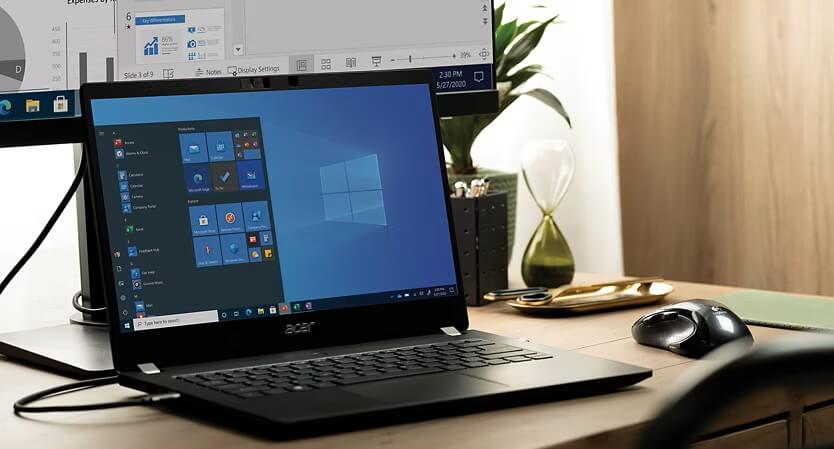
Microsoft Windows Server 2019 Remote Desktop Device CAL is essential for many academic users who need remote access to Windows servers.
This licensing solution primarily serves individuals, students, and teams within educational institutions.
These users rely on such CALs to enable multiple devices in academic environments to connect remotely to Windows Server resources.
However, in 2025, finding the best remote desktop device CAL alternative for Windows Server matters more than ever.
The increasing demand for cost-effective, flexible, and secure remote desktop solutions in academia makes exploring alternatives vital.
With proven alternatives, academic organizations can optimize licensing costs, improve security, and enhance compatibility.
If you manage or support an academic institution, discovering the right remote desktop device CAL alternative can transform how your teams access Windows Server resources.
Understanding Remote Desktop Device CALs for Windows Server
What Are Remote Desktop Device CALs?
Remote Desktop Device Client Access Licenses (CALs) allow specific devices to access Windows Server remotely.
Each device CAL licenses a single device to connect via Remote Desktop Services (RDS), regardless of the user using that device.
This contrasts with user CALs, which license individual users instead of devices.
Device CALs are critical for institutions using shared computers or labs, common in academic environments.
They legally permit multiple devices to connect simultaneously to a Windows Server for desktop sessions and application access.
Without proper device CAL licensing, remote desktop connections violate Microsoft’s licensing agreements.
Device CALs enable remote access to centralized applications, file shares, and server resources securely over a network.
In summary, device CALs form the backbone of compliant, remote Windows Server access by defining how many physical devices can connect remotely.
Why Academic Organizations Need Alternative CAL Solutions
Academic institutions face unique challenges with remote desktop device CALs.
Budget constraints require cost-efficient licensing options that fit limited IT funding.
Many academic settings use a high number of shared devices, making traditional Microsoft CALs expensive and sometimes impractical.
Further complicating this is the diversity of device types and Windows Server versions that academic environments support.
Licensing models must accommodate fluctuating remote access demands, such as during exam seasons or remote learning periods.
Security concerns are paramount, especially when sensitive student or research data is accessed remotely.
Additionally, not all academic IT infrastructures align well with Microsoft’s licensing schemes or pricing tiers.
As a result, academic organizations seek alternatives that provide comparable or improved functionality with greater pricing flexibility.
They want solutions that allow easy scaling, broad compatibility, and strong security tailored for education settings.
The core message here is that finding the best remote desktop device CAL alternatives tailored for academic use can reduce costs and improve remote access compliance.
Top Alternatives to Windows Server 2019 Device CAL
Alternative #1: Feature and Pricing Comparison
One leading alternative to Microsoft’s Windows Server 2019 device CAL is Fastsoftwares Remote Desktop Device Licensing.
This solution offers similar core features, including multi-device remote connections, centralized management, and support for various Windows Server versions.
However, a key benefit lies in its academic pricing options, significantly lower than Microsoft’s standard CAL fees.
Fastsoftwares provides licensing models designed specifically for educational institutions, ensuring affordability at scale.
The licensing is device-based, matching academic environments with shared lab computers or classroom setups.
Features include easy web-based license management, license pooling for flexible device access, and built-in compliance tracking to prevent overuse.
Compared to Microsoft’s device CALs, this alternative reduces licensing expenses while maintaining all necessary remote desktop functionalities.
This cost saving is especially meaningful for public schools, colleges, and universities operating on tight budgets.
In conclusion, the best remote desktop CAL alternatives must balance competitive pricing with essential remote desktop features to serve academic organizations effectively.
Alternative #2: Compatibility and Licensing Flexibility
Another top choice focuses on broad compatibility and flexible licensing terms for academic users.
This alternative supports not only Windows Server 2019 but also earlier and upcoming versions like 2016 and 2022 efficiently.
It offers cross-platform access, enabling remote desktop connections from Windows, macOS, Linux, and mobile devices.
This flexibility suits academic environments where users connect from diverse devices, not limited to Windows PCs.
The licensing is adaptable, allowing institutions to purchase device CALs in flexible increments and adjust quantities as user demand fluctuates.
Flexible license transfer options between devices help cater to seasonal academic changes.
This solution also integrates well with existing academic IT infrastructure, minimizing deployment complexity.
The availability of volume licensing discounts and education-specific plans makes this alternative highly attractive.
Hence, for colleges and schools looking for versatile, scalable, and compatible remote desktop device CAL alternatives, this option is a strong contender.
Alternative #3: Security and Performance Advantages
Security and performance are critical in selecting a remote desktop device CAL alternative for academic institutions.
One standout solution focuses on enhanced security protocols such as multi-factor authentication, end-to-end encryption, and regular security patching.
These protections safeguard sensitive academic data accessed remotely by students and staff.
Performance improvements include optimized session handling to reduce latency and bandwidth consumption.
This is especially important where network capacity may be limited on campuses or for remote learners.
The solution also supports load balancing and fault tolerance to ensure uninterrupted remote desktop sessions.
Administrators benefit from detailed activity logging and centralized security policy controls designed for academic compliance needs.
Compared to standard Microsoft CALs, this alternative enhances both security posture and user experience.
Academic institutions that prioritize protecting data and maintaining smooth remote access will find this solution highly valuable.
How to Choose the Best Remote Desktop Device CAL Alternative for Academic Use
Assessing Your Academic Institution’s Needs
Begin by carefully analyzing your institution’s current and projected remote desktop device requirements.
Identify how many devices need simultaneous server access and what types of devices are used.
Consider academic schedules that might affect peak usage periods.
Evaluate user roles and access levels to tailor licensing needs accordingly.
Also assess technical infrastructure, such as network capacity and existing Windows Server versions.
Understanding these needs clearly helps narrow down alternatives that best align with your academic environment.
This step ensures you select a solution that can handle your institution’s unique remote desktop demands efficiently.
Budgeting and Licensing Considerations
Calculate the total cost of ownership, including initial licensing fees, ongoing maintenance, and possible upgrade costs.
Compare academic pricing models offered by various providers.
Factor in the cost benefits of flexible licensing structures like device pooling or seasonal license adjustments.
Evaluate whether cheaper upfront costs might lead to higher support or compatibility expenses.
Keep in mind that compliance penalties for under-licensing can be costly.
Choosing a solution with transparent and predictable costs streamlines budgeting and prevents surprises.
Budget considerations are crucial to finding a remote desktop CAL alternative that fits your academic institution’s financial limitations without sacrificing quality.
Support and Scalability Factors
Check the vendor’s level of customer support tailored for academic clients.
Reliable technical assistance ensures quick resolution of access issues and smooth operation.
Look for vendors that offer training resources and documentation suited for educational IT staff.
Scalability is equally important, as academic needs often grow or change.
Opt for solutions that allow easy license scaling without complicated procurement processes.
Consider how seamlessly the alternative integrates with upgraded Windows Server versions or added remote desktop users.
Robust vendor support combined with scalability ensures your chosen remote desktop device CAL alternative remains effective as your academic organization evolves.
Conclusion
In summary, selecting the best remote desktop device CAL alternative for Windows Server is vital for academic organizations.
Understanding what device CALs are and why academia needs alternatives helps frame this decision well.
Exploring top alternatives reveals options that improve affordability, compatibility, security, and performance compared to Microsoft’s standard CALs.
Careful evaluation of your institution’s needs, budget, and vendor support further guides you to the right solution.
Choosing the right remote desktop device CAL alternative optimizes remote access to Windows Server resources, enhancing academic productivity.
Explore Fastsoftwares’ selection of Remote Desktop Device CAL alternatives for Windows Server to find the best option for your academic organization today.